

Fractal Bits
Alexander Zolotov · Music
Independent analytics for this App Store listing. AppTracker is not affiliated with Alexander Zolotov.
Chart standing · US
What changed · US
Listing changes AppTracker has observed for this app in this storefront — new versions, price moves, rating shifts, and store copy.
Price & rating history · US
Reconstructed from the listing changes AppTracker has observed in this storefront. A field is charted once it has changed more than once, and each line starts at the value it moved from.
Price · 1.99 USD now · 2 changes on record
Ratings breakdown · US
The star breakdown behind this app's rating in this storefront.
In-app purchases · US
No in-app purchases.
Screenshots
Keywords this app targets
Search terms AppTracker associates with this app — estimates, not search volume. ❝ = in the app's title; a highlighted number is its current position for that term.
Similar apps
Competitors and close alternatives, as estimated by AppTracker.






About
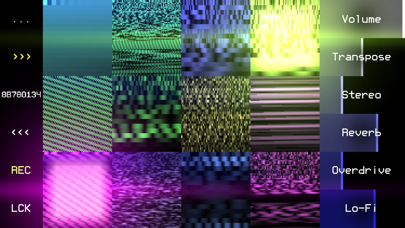
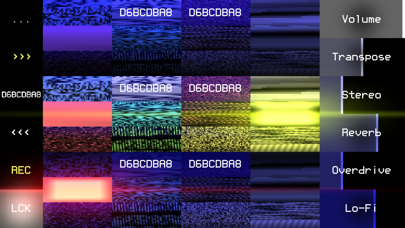
Fractal Bits is a drum synth with over four billion unique sounds created by fractal algorithms. Each set of 12 drums corresponds to a code of 8 characters (you can save/copy/paste it as plain text). Features: * Audio Unit Extension (AUv3), Audiobus; * search for new sounds with three buttons: next random set, edit code, previous set; * three types of keyboards for live drumming: on-screen buttons, PC keyboard, MIDI input; * several processing parameters + control via MIDI; * real-time audio recording to WAV (32-bit); * export to: WAV (one file or a set), SunVox (samples + effects in one file), text clipboard; * the LCK button freezes individual drums - they will not change during the search for new sets; * Wi-Fi export/import. Double clicking on a parameter opens a window for setting the exact value. If you enable the Hold option, the notes will play endlessly, without reacting to key release (noteOff) events; turning the note on again works like turning it off; there are two ways to enable this option: 1) using the Hold parameter in the "MIDI Mapping" window; 2) by pressing the HOLD button, which appears in place of LCK while playing the musical keyboard: press HOLD, release the desired notes - then the released notes will continue to play.
What's new · 1.2b
bug fixes
Details