

SunWatch for SolarEdge
Oebele Beetstra · Lifestyle
Independent analytics for this App Store listing. AppTracker is not affiliated with Oebele Beetstra.
Chart standing · US
What changed · US
Listing changes AppTracker has observed for this app in this storefront — new versions, price moves, rating shifts, and store copy.
Version 1.6: The app now comes with multiple complications for your watch face: - The one that lets you see today's amount of generated solar energy was already there. - New is a complication that shows today's amount of consumed energy (if you have a meter). - And if you have a home battery, there now also is a complication that shows the charging state of that battery. Please note: you will need to re-add an existing complication to your watch face!
Ratings breakdown · US
The star breakdown behind this app's rating in this storefront.
In-app purchases · US
No in-app purchases.
Screenshots
Keywords this app targets
Search terms AppTracker associates with this app — estimates, not search volume. ❝ = in the app's title; a highlighted number is its current position for that term.
Similar apps
Competitors and close alternatives, as estimated by AppTracker.
 Solar Watch for SolarEdge
Marko Radakovic
2 shared topics · 1 shared title word
Solar Watch for SolarEdge
Marko Radakovic
2 shared topics · 1 shared title word
 My Solar
Richard Levy
3 shared topics
My Solar
Richard Levy
3 shared topics
 Solar Check Production
Andreas Huth
1 shared topic
Solar Check Production
Andreas Huth
1 shared topic
 Powerwall Monitor
Fantastic Sprinkles Pty Ltd
Powerwall Monitor
Fantastic Sprinkles Pty Ltd
 SunAndMoonTracker
Alpenlogic LLC
SunAndMoonTracker
Alpenlogic LLC
 SolarMeter sun energy planner
VisTech.Projects LLC
SolarMeter sun energy planner
VisTech.Projects LLC
 Sunset Prediction SolarWatch
Fifteen Jugglers Software UG
Sunset Prediction SolarWatch
Fifteen Jugglers Software UG
 Energy Meter
Heiko Pruessing
1 shared topic
Energy Meter
Heiko Pruessing
1 shared topic
About
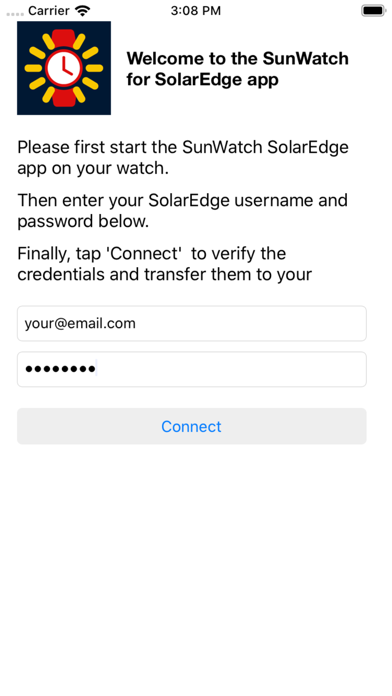
Did you install solar panels on your roof? And are they connected to an inverter built by SolarEdge? If so, you can use this app to monitor the energy flows in your home from your Apple Watch! The app not only displays how much power and energy your solar panels are generating, but if you have a meter and battery, it also shows the power consumption in your home and the charging level of your home battery. The app includes multiple complications for your watch face. Using those, you can see today's amount of generated solar energy and the current output of your solar panels, right on your watch face. And if you have a meter, the same goes for today's amount of consumed energy. If you have a home battery, there is also a complication for watching that battery's charging state. In order to view the data of your PV installation, please first start the app on your iPhone and login using the same account you use for logging in to the SolarEdge Monitoring Platform website. Your credentials will then automatically be transferred to your watch. You can also login on your watch directly, if you have tiny fingers :-)
What's new · 1.6
Version 1.6: The app now comes with multiple complications for your watch face: - The one that lets you see today's amount of generated solar energy was already there. - New is a complication that shows today's amount of consumed energy (if you have a meter). - And if you have a home battery, there now also is a complication that shows the charging state of that battery. Please note: you will need to re-add an existing complication to your watch face!
Details