

Manage time every 30 minutes
Kazuya Fujita · Productivity
Independent analytics for this App Store listing. AppTracker is not affiliated with Kazuya Fujita.
Chart standing · US
What changed · US
Listing changes AppTracker has observed for this app in this storefront — new versions, price moves, rating shifts, and store copy.
Price & rating history · US
Reconstructed from the listing changes AppTracker has observed in this storefront. A field is charted once it has changed more than once, and each line starts at the value it moved from.
Average rating · ★ 4.08 now · 2 changes on record
Screenshots
About
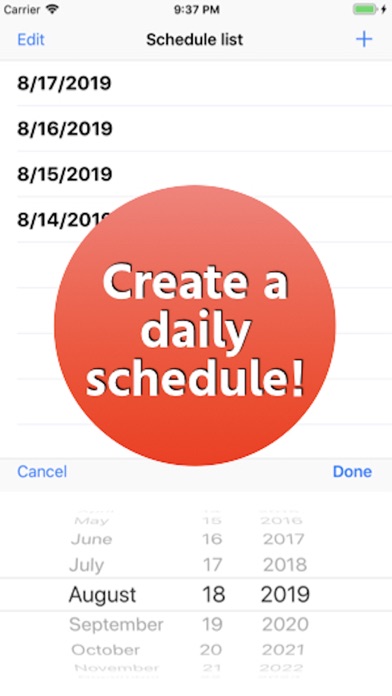
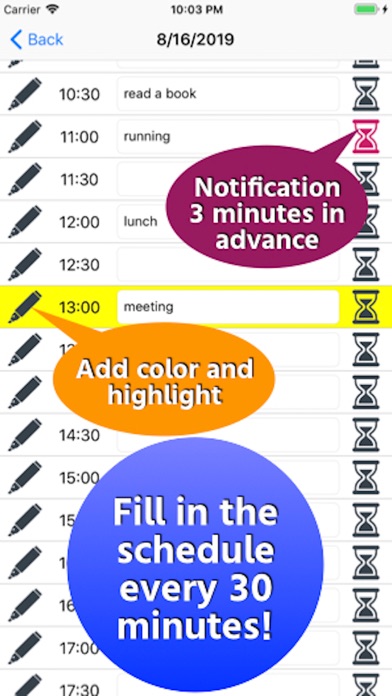
Please follow the link in the "Tools" button. [How to use] ・ After launching the app, select the date to schedule from the “+” button on the top right. ・ When a date is added to the list, tap the date and enter the schedule in the specified time field in steps of 30 minutes. ・ Tap the pen icon on the left to add color. ・ Tap the hourglass icon at the right end to receive notification to your smartphone 3 minutes before that time. * If you do not receive a notification, go to “Notification”-> “Manage events in a list” from the setting application and set “Allow notification”. Please contact the review section or DM here. https://twitter.com/corasck
What's new · 1.1.4
- Improved the wording of the dialog. - In addition, the internal processing has been improved.
Details