

Custom bubble - color & font
Niel Deckx · Utilities
Independent analytics for this App Store listing. AppTracker is not affiliated with Niel Deckx.
Chart standing · US
What changed · US
Listing changes AppTracker has observed for this app in this storefront — new versions, price moves, rating shifts, and store copy.
Price & rating history · US
Reconstructed from the listing changes AppTracker has observed in this storefront. A field is charted once it has changed more than once, and each line starts at the value it moved from.
Average rating · ★ 1.37 now · 2 changes on record
In-app purchases · US
What this app sells inside itself, grouped by kind and priced for this storefront.
Screenshots

About
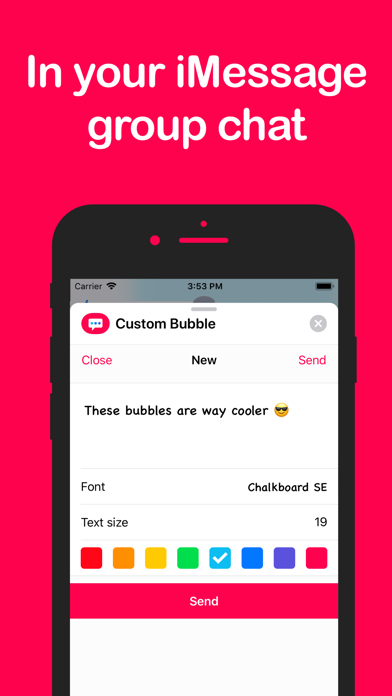
Tired of the boring blue and grey message bubbles? Spice up your iMessage conversation with this app and create custom message bubbles. You can now select the color and font to use in your messages. The app integrates with iMessage so it's easy, fast and a lot of fun to use. You can choose out of 8 colors and 17 fonts. USE APP To use the app, open an iMessage conversation. Tap the App Store icon and select the Custom Bubble app icon. If the app is not active in the app list, tap the "..." button and make sure the app is active in the list. DELETE APP This is an iMessage app, so you must use iMessage to uninstall the app. Instructions can be found here: www.bit.do/del-app The instructions: 1. Open a conversation in iMessage 2. Tap the App Store icon to open the apps list 3. Swipe right to the end and press the "..." button 4. Find the app you want to delete 5. Swipe left on the app row and tap delete
What's new · 1.2
Dark mode support is here!
Details