

Canvas By Livspace
Livspace PTE Ltd · Productivity
Independent analytics for this App Store listing. AppTracker is not affiliated with Livspace PTE Ltd.
Chart standing · US
What changed · US
Listing changes AppTracker has observed for this app in this storefront — new versions, price moves, rating shifts, and store copy.
Projects • Change a project's stage straight from the Overview, including the booking details for Design In Progress. • Create, preview, send and resend the customer welcome document. • Suggested next actions on the Overview show what to do next on a project. • Quote details now show the Mandatory Ancillary Services block. • Allocate funds from the Payments section. Meetings • Experience Centre visits now verify the customer with a one-time code before recording starts. • See live upload status while recording, including on the lock screen. Escalations • View, add and edit escalation tasks, with attachments. Notifications • A new notification inbox — tap the bell on Home to see everything in one place. Site operations • Check in and out at project sites, with location verification. • Set the project location when the site only has an address-based pin. • Skip or unskip tasks, add or remove task dependencies, and update progress on a dependency-blocked task with a reason. Fixes and improvements • Fixed a crash on launch on iOS 27. • Smoother BOQ details tabs and other stability improvements.
Screenshots



About
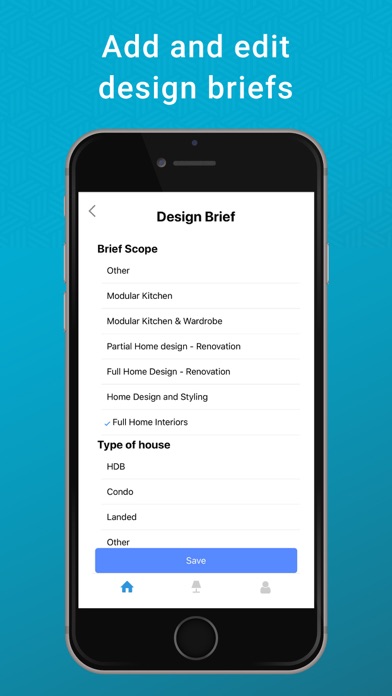
Your design assistant on the go! Login with your livspace.com ID or Signup to be a Livspace Designer. See projects listed stage-wise Get notified when a lead is assigned to you Call your customer directly from the app Track project progress in real time Add & edit design briefs Change project stages Send payment requests View the BoQs before sharing them with your customers
What's new · 76.0.29 (29)
Projects • Change a project's stage straight from the Overview, including the booking details for Design In Progress. • Create, preview, send and resend the customer welcome document. • Suggested next actions on the Overview show what to do next on a project. • Quote details now show the Mandatory Ancillary Services block. • Allocate funds from the Payments section. Meetings • Experience Centre visits now verify the customer with a one-time code before recording starts. • See live upload status while recording, including on the lock screen. Escalations • View, add and edit escalation tasks, with attachments. Notifications • A new notification inbox — tap the bell on Home to see everything in one place. Site operations • Check in and out at project sites, with location verification. • Set the project location when the site only has an address-based pin. • Skip or unskip tasks, add or remove task dependencies, and update progress on a dependency-blocked task with a reason. Fixes and improvements • Fixed a crash on launch on iOS 27. • Smoother BOQ details tabs and other stability improvements.
Details