

SoundHi +EQ30 HD Amp & Player
CyberFort LLC · Music
Independent analytics for this App Store listing. AppTracker is not affiliated with CyberFort LLC.
Chart standing · US
What changed · US
Listing changes AppTracker has observed for this app in this storefront — new versions, price moves, rating shifts, and store copy.
Ratings breakdown · US
The star breakdown behind this app's rating in this storefront.
Screenshots




About
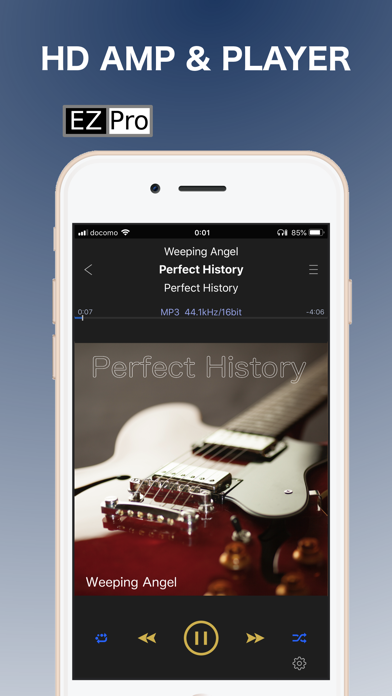
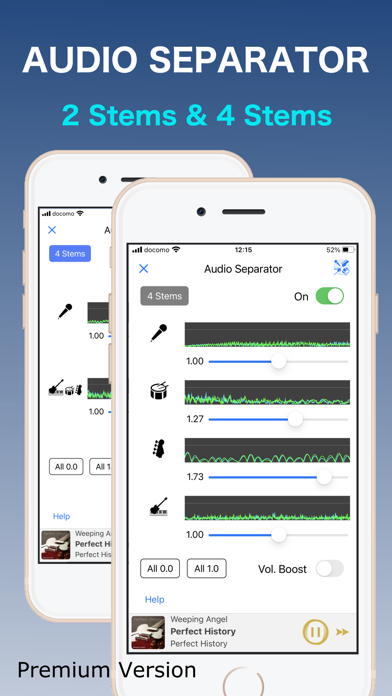
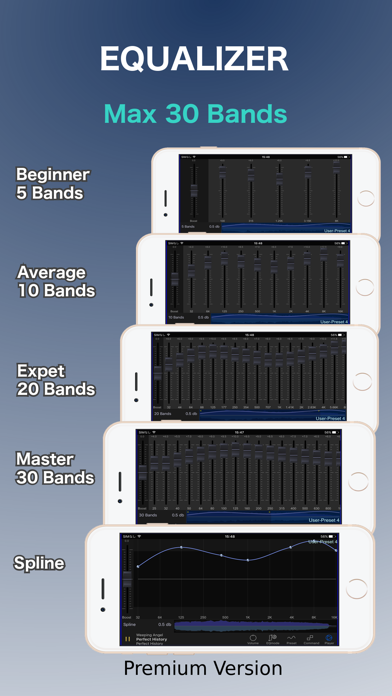
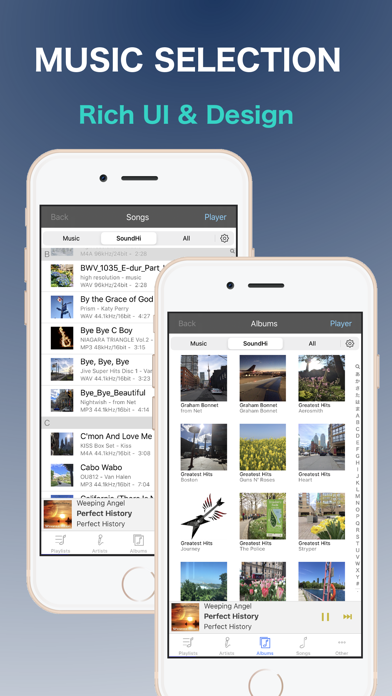
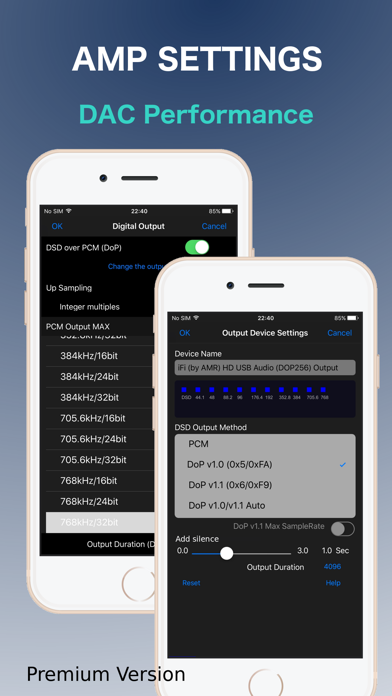
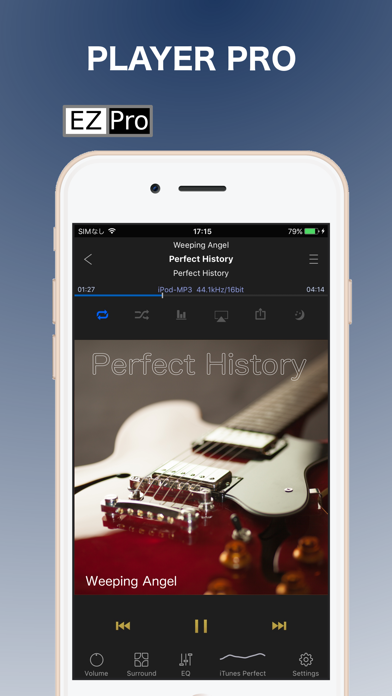
Enjoy the sound of excitement with high quality, high performance and high resolution. Get the full performance of your audio equipment with this app. And experience the great sound quality. Also, feel the future of music with super functions using AI technology. The BEST POWER AMP and the BEST MUSIC PLAYER 1. Enjoy the best sound quality. SoundHi has the “High Performance Sound Engine AQSS-XII”, which provides the highest quality audio using over 64,000 frequency bands. This Sound Engine provides an equalizer, virtual surround, cross fader, gapless playback, silence detection, and a dynamic limiter. 2. Supports playback and output of high-resolution sound sources and CD sound sources. Supports High-resolution sources (premium version) : 1) up to 768kHz/32bits 2) PCM and DoP (DSD over PCM) playback of DSD files up to 12MHz/1bit 3. Enjoy a new era with AI technology. Volume balance adjustment for each vocal and instrument. (Offline AI processing, real-time playback, EX: Remix/Karaoke/Practicing playing parts) 4. Supports a wide variety of audio files Audio file: 1) format - Music Library(iTunes): audio format used by Music App - SoundHi DB: DSD(~12MHz, dsf/dff), FLAC(~384kHz/32bit), WAV(~768kHz/64bit), Apple Lossless(~384kHz), AIFF(~768kHz/32bit), AAC/MP3(~320Kbps), MP4/M4V(as Sound) 2) importing method - Music Library: Automatically, music datas in the music app (required Music app) - SoundHi DB: By iTunes file sharing, AirDrop. By "Files" app (from many Cloud-DB). Also PKG/ZIP files and folders 5. Enjoy a wealth of features. Playback Options: - 2 modes of continuous playback (Medley) 4 modes added (premium version) - Shuffle, Crossfade, Gapless - Background playback, Spectrum analyzer - Speaker, headphones, Bluetooth, AirPlay, lightning - iDevice As Speaker, ... Sound Quality Effect: - Presets equalizer - Graphic equalizer (10 Band, ..., Spline curve) Six types of equalizers (Max 30 Band, premium version) .save/edit own custom Presets - Virtual surround presets - Digital Output (Max 768kHz/32bit with premium version) - DoP output (premium ver.) - Up-sampling - Audio Separator [2 Stems (Vocal/Others)/4 Stems (Vocal/Drums/Bass/Others) premium version] - Time Stretch and Pitch Shift - Crossfeed (premium version) Volume control: - Fine volume, Left/Right balance, Gain - stereo/monaural/... Music Selection - Type: Music Library/SoundHi DB/All (All types) - by artists, albums, songs, playlists, Compilations, ... - save/edit own custom playlists - Shuffle, All songs, Grid View, Mini Player Settings - Digital Output Device Manager (premium version) - Pause Fadeout, Swipe action, portrait/landscape, ... Other - Display lyrics included in the song file Notes : * Music app exclusive data (Apple Music, DRM, iCloud) can be cooperative played back with the restriction function by Music app * Audio Separator requires iOS 12/later, A10/higher CPU, and 3 GB/higher memory. SUBSCRIPTION INFORMATION - Subscribe for unlimited access to our Premium features. - Weekly ($2.99) & yearly ($19.99)* - Free trial subscription is automatically renewed unless cancelled 24 hours before the renewal - Payment will be charged to iTunes Account at confirmation of purchase - Account will be charged for renewal within 24-hours prior to the end of the current period, at the same price - No cancellation of the current subscription is allowed during active subscription period - Subscriptions may be managed by the user and auto-renewal may be turned off by going to the user’s Account Settings after purchase - Any unused portion of a free trial period, if offered, will be forfeited when the user purchases a subscription to that publication, where applicable Terms of Service: https://www.cyberfort.jp/for-iPhone/eng/soundhi-terms-of-use.pdf Privacy Policy: https://www.cyberfort.jp/for-iPhone/eng/soundhi-privacy-policy.pdf *Price are equal to the value that "Apple's App Store Matrix" determines is the equivalent of the subscription price in $USD.
What's new · 2.5.12
■ Latest update 1. iOS support (1) iOS 26.5 Operation confirmed (2) StoreKit 2 compatibility adjustments 2. Other enhancements ■ At the time of the first start-up, alert of "“SoundHi” Would like to access Apple Music And Your Media Library" is displayed. At that time, “OK” should be selected for using a song in the Music Library. This player uses to playback musics in the Music Library (iTunes Library). This library is the data in the media library. In order to use the songs in the Music Library, this question should have been set to "OK". ※"Don't Allow" was selected, it can not display all the songs in the Music Library. ■ Resetting Method Go to the Apple Settings app, Scroll down and Tap the SoundHi, Enable "Media & Apple Music" or "Media Library" toggle. *This item name depends on the iOS version.
Details