

PanoraSplit for Instagram
Tech Positive Inc. · Photo & Video
Independent analytics for this App Store listing. AppTracker is not affiliated with Tech Positive Inc.
Chart standing · US
What changed · US
Listing changes AppTracker has observed for this app in this storefront — new versions, price moves, rating shifts, and store copy.
- Improved panorama splitting with faster previews, smoother processing, and more accurate image positioning. We’ve also fixed an issue where some images appeared shifted or cropped incorrectly after splitting.
Ratings breakdown · US
The star breakdown behind this app's rating in this storefront.
In-app purchases · US
What this app sells inside itself, grouped by kind and priced for this storefront.
Screenshots



About
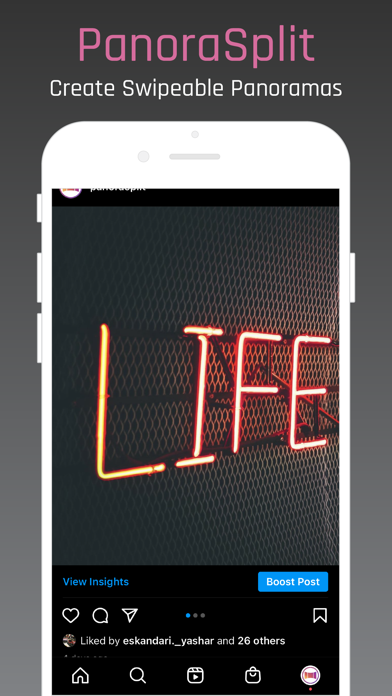
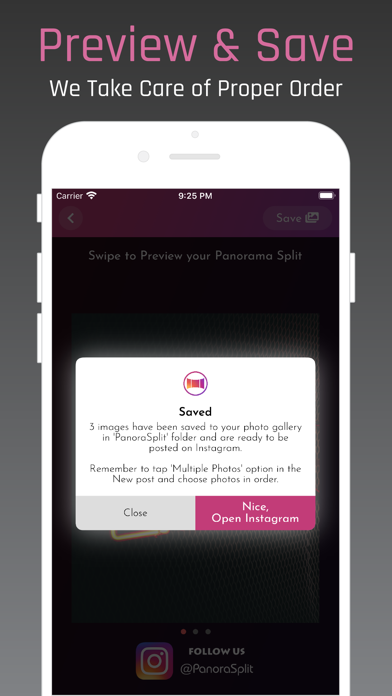
Why crop out important details from your beautiful landscape or panoramic photos when you can show it all with PanoraSplit. PanoraSplit makes it super easy to create swipeable panoramas for your Instagram by splitting any photo. PanoraSplit lets you split any photo into 2 to 9 photos without losing high-resolution quality. Once split, post your photos on Instagram using "Select Multiple" option. With PanoraSplit, you can preview your swipeable panorama before posting it to Instagram to make sure it looks exactly how you want it. Why PanoraSplit? • Split into up to 9 photos for an awesome panoramic effect • Move, zoom, and rotate your photo for perfection • Zoom out the photo as much as you like and choose a background color. Use Solid, Gradient or one of the Magic colors chosen automatically from your image. • Keeps resulting photos in high resolution. No loss in quality. • Split into square, horizontal and vertical aspect ratios ranging from 1.91:1 to 4:5 • Preview your panorama split before posting. • Saves split photos to your gallery in the proper order for easy posting on Instagram. • Use our advanced camera within the app to take stunning photos and split them right away.
What's new · 2.2.1
- Improved panorama splitting with faster previews, smoother processing, and more accurate image positioning. We’ve also fixed an issue where some images appeared shifted or cropped incorrectly after splitting.
Details