

HRV Tracker for Watch
Sydvesti Oy · Health & Fitness
Independent analytics for this App Store listing. AppTracker is not affiliated with Sydvesti Oy.
Chart standing · US
What changed · US
Listing changes AppTracker has observed for this app in this storefront — new versions, price moves, rating shifts, and store copy.
Thank you for using HRV Tracker for Watch. This update focuses on new features for iOS 27 and watchOS 27 — smarter summaries on iPhone and a new HRV trend summary on Apple Watch. Smarter summaries on iPhone (iOS 27): Trend summaries now run through Private Cloud Compute whenever possible, including the tips in the full Trend Summary sheet. When Private Cloud Compute isn't available, the on-device model takes over. AI HRV Summary on Apple Watch (watchOS 27): Your watch now generates a short HRV summary, privately via Apple's Private Cloud Compute.
Ratings breakdown · US
The star breakdown behind this app's rating in this storefront.
In-app purchases · US
What this app sells inside itself, grouped by kind and priced for this storefront.
Screenshots




About
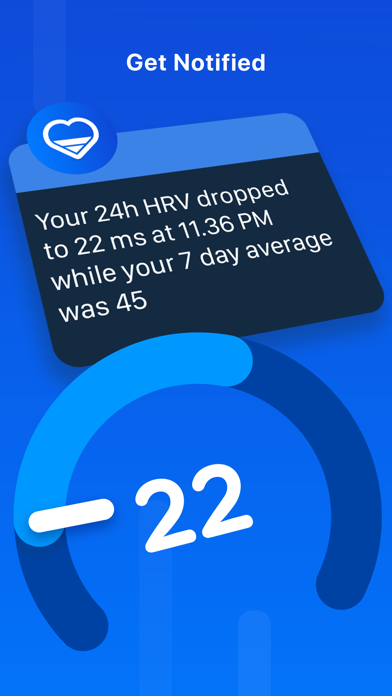
Heart Rate Variability (HRV) measurements recorded by your Apple Watch can provide insight into the stress your body is experiencing. By using HRV Tracker to track short-term readings and long-term trends, you can see how factors such as daily workload, workouts, and sleep affect your body's readiness, recovery, and stress. Simply put, the higher your HRV, the better. ***Requires Apple Watch with watchOS 10 or later*** HRV Tracker for Watch integrates with the Health app and uses data stored in the Health app. To ensure your Apple Watch can record HRV measurements, open the Health app on your iPhone to check for existing data: Health app > Browse > Heart > Heart Rate Variability. In addition to automatic recordings, you can also use the Mindfulness app on your Apple Watch to capture new HRV data. Start a Breathe session, and once it ends, a new HRV measurement will appear in HRV Tracker. ***Compare HRV to Other Key Metrics*** Identify potential causes for changes in your HRV with Comparison Charts. -Compare your HRV to relevant health metrics such as activity, sleep, and resting heart rate. ***Follow Long-Term HRV Trends*** Track long-term HRV trends on your iPhone and compare short-term readings to your long-term averages. -Experience smarter insights with the new HRV Trend Summary feature (experimental). Available on Apple Intelligence powered devices running iOS 26. ***Get Notified on Your Apple Watch*** HRV Tracker helps you spot changes in your HRV by monitoring your data in the background and notifying you when your HRV falls below or rises above your preferred levels. -Tracks individual readings as well as 24-hour and 7-day averages. -You can customize the default notification thresholds in the Apple Watch app. -For notifications to work properly, add HRV Tracker to your Watch Face. -Note that notifications may be delayed due to factors like low battery. ***And More*** Track your HRV in multiple ways on your Apple Watch and iPhone. -Choose from various Home Screen widgets or Watch Face complications -Customize charts and views in settings -Scroll and tap on charts for additional insights ***Privacy*** Your privacy is really important to us — we do not collect any data from this app. ***How Is It Measured?*** HRV Tracker uses heart rate variability measurements calculated by detecting the variation between individual heartbeats. Your Apple Watch automatically measures HRV in the background and stores it in HealthKit. HealthKit uses SDNN (Standard Deviation of NN intervals), which reflects the standard deviation of time between normal heartbeats (measured in milliseconds). Please note that many of the features mentioned above are available only to subscribers. Terms of Use: https://www.apple.com/legal/internet-services/itunes/dev/stdeula If you have any questions, we’re happy to help: contact@sydvesti.com
What's new · 3.1
Thank you for using HRV Tracker for Watch. This update focuses on new features for iOS 27 and watchOS 27 — smarter summaries on iPhone and a new HRV trend summary on Apple Watch. Smarter summaries on iPhone (iOS 27): Trend summaries now run through Private Cloud Compute whenever possible, including the tips in the full Trend Summary sheet. When Private Cloud Compute isn't available, the on-device model takes over. AI HRV Summary on Apple Watch (watchOS 27): Your watch now generates a short HRV summary, privately via Apple's Private Cloud Compute.
Details