

Multi Timer Shooting Camera
Kazuya Fujita · Photo & Video
Independent analytics for this App Store listing. AppTracker is not affiliated with Kazuya Fujita.
Chart standing · US
Screenshots
About
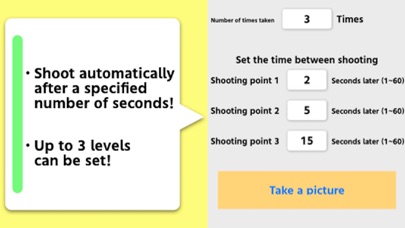
Set “Number of times taken” and each “Shooting Point”. When “Number of times taken” is set to 3, “Shooting Point 1” is set to 5 seconds, “Shooting Point 2” is set to 3 seconds, and “Shooting Point 3” is set to 10 seconds, when the shutter button is pressed on the shooting screen, 5 seconds later Take the first shot, take the second shot 3 seconds later, and take the third shot 10 seconds later. Everything is done automatically from when the shutter button is pressed until all shots are completed. Please contact the review section or DM here. https://twitter.com/corasck
What's new · 1.0.9
Bug fixes and performance improvements.
Details