

Breaker Box: Panel Directory
Brett Pappas · Utilities
Independent analytics for this App Store listing. AppTracker is not affiliated with Brett Pappas.
Chart standing · US
What changed · US
Listing changes AppTracker has observed for this app in this storefront — new versions, price moves, rating shifts, and store copy.
• About 27 MB smaller to download and install. • Exported legends now end with a small "Made with Breaker Box" line. Pro users can turn it off in Settings. • Bug fixes and stability improvements.
Price & rating history · US
Reconstructed from the listing changes AppTracker has observed in this storefront. A field is charted once it has changed more than once, and each line starts at the value it moved from.
Average rating · ★ 4.44 now · 5 changes on record
Ratings breakdown · US
The star breakdown behind this app's rating in this storefront.
In-app purchases · US
What this app sells inside itself, grouped by kind and priced for this storefront.
Screenshots



About
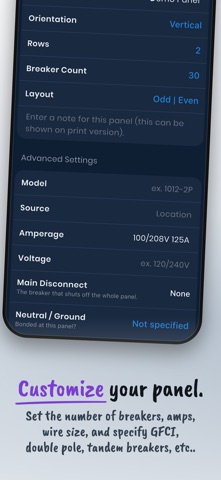
Stop guessing which breaker controls what. Whether you're a homeowner mapping a single panel or an electrician documenting multiple buildings, Breaker Box gives you a complete directory for every circuit — and lets you print a professional legend to match. LABEL EVERY CIRCUIT Assign notes, rooms, and fixtures to each breaker. Tandem splits, multi-pole circuits, GFCI outlets, and HACR systems all supported. Track wire gauge and size. Use custom phase colors for 1-, 2-, and 3-phase panels. ORGANIZE BY ROOM Link circuits to the rooms and fixtures they control — so you always know which breaker to flip, in seconds. PDF LEGENDS Export to PDF, sized to fit a panel sleeve or tape to the door. Adjust font scale per label for a professional result. MULTI-PANEL SUPPORT Manage multiple panels across one or more properties. Link breakers to sub-panels. PRO FEATURES • Unlimited panels • PDF export with custom print sizes • Cloud sync across all your devices • Custom fixture types and unlimited rooms • Import and export for client handoffs and device transfers BACKUP & RESTORE Automatic backups and cloud management keep your data safe. Every circuit, documented.
What's new · 2.12.0
• About 27 MB smaller to download and install. • Exported legends now end with a small "Made with Breaker Box" line. Pro users can turn it off in Settings. • Bug fixes and stability improvements.
Details