

Raivo - 2FA Authenticator app
MOBIME · Utilities
Independent analytics for this App Store listing. AppTracker is not affiliated with MOBIME.
Chart standing · US
What changed · US
Listing changes AppTracker has observed for this app in this storefront — new versions, price moves, rating shifts, and store copy.
Price & rating history · US
Reconstructed from the listing changes AppTracker has observed in this storefront. A field is charted once it has changed more than once, and each line starts at the value it moved from.
Average rating · ★ 4.34 now · 10 changes on record
Ratings breakdown · US
The star breakdown behind this app's rating in this storefront.
In-app purchases · US
What this app sells inside itself, grouped by kind and priced for this storefront.
Screenshots





About
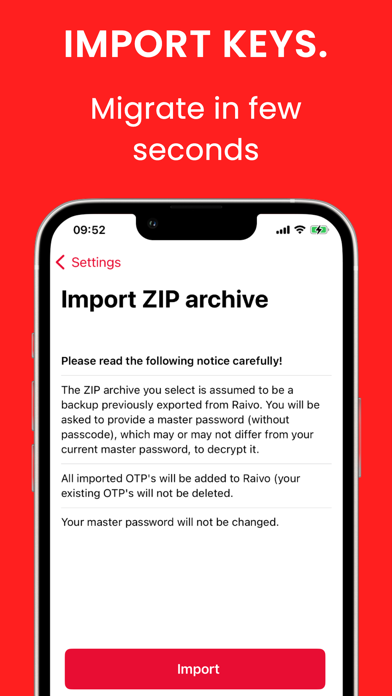
Open Raivo Authenticator in one tap, sign in with FaceID and copy your one-time password to your Mac in one tap with the Raivo MacOS companion app. Using a multi-factor authenticator has never been easier! • Backup/synchronise one-time passwords to iCloud (end-to-end encrypted). • Export your one-time passwords to encrypted ZIP archives. • Import one-time passwords from previous exports. • Send your passwords to your Mac in one tap, cross iCloud account (end-to-end encrypted). • Add (custom) icons to your one-time passwords and apply effects. • Fast user experience with most often used functionality easily accessible. • Scan a QR code or add a one-time password manually. • Show both the current and previous one-time password. • Unlock Raivo OTP with FaceID, TouchID or a passcode. • Raivo OTP is native and open-source (built in Swift 5)! • Raivo OTP is open-source and community-driven! Your privacy and security matter to us: https://raivo-otp.com/privacy-policy/ https://raivo-otp.com/security-policy/
What's new · 111.9
Hello everyone, We are excited to introduce a new Archive feature that gives you greater control over your passwords. You can now swipe right on a code to archive it when you no longer need it. Archived codes will be kept separate from your active list and can be accessed through Settings. Additionally, you can switch between Offline mode and iCloud Sync at your convenience. We have also addressed bugs and resolved issues reported by our users. This update aims to make Raivo more flexible, reliable, and easier to manage. Thank you for using Raivo!
Details