

Screen Recorder,Screen Capture
Maryam Derakhshesh · Utilities
Independent analytics for this App Store listing. AppTracker is not affiliated with Maryam Derakhshesh.
Chart standing · US
What changed · US
Listing changes AppTracker has observed for this app in this storefront — new versions, price moves, rating shifts, and store copy.
New Home screen. A clean viewfinder design with one “Open Recorder” button that starts recording in a tap. Sound in Silent Mode. Recordings with audio now play with sound in your Library, even when your iPhone is in Silent Mode. A new speaker button lets you mute or unmute any video. Tidier Library. The search field stays out of the way until you pull down the list. Switching between filters is now smooth, with no cut-off labels. Clearer plans. The Other Plans page now shows exactly what each plan includes, how it’s billed and its price per month, and updates as you choose a plan. Built for iPhone Duo. When unfolded, the sidebar now sits beside your recordings instead of covering them, and the screen resizes to fit. The subscription page keeps its Subscribe button in view when held sideways, and the close button sits neatly under the clock. Improved translations, plus stability and design refinements throughout.
Ratings breakdown · US
The star breakdown behind this app's rating in this storefront.
In-app purchases · US
What this app sells inside itself, grouped by kind and priced for this storefront.
Screenshots


About
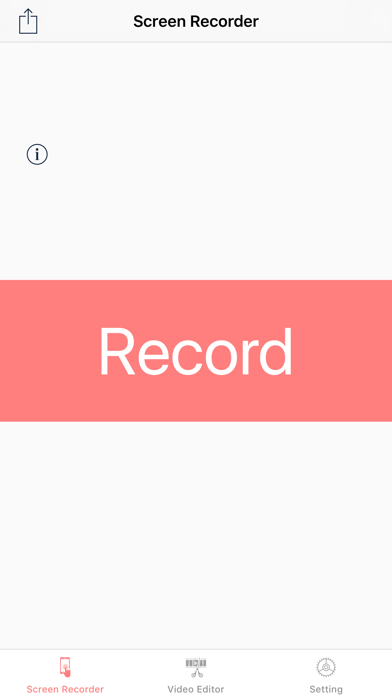
Screen Recorder, Screen Capture is the easy way to record your iPhone and iPad screen. Start a full-screen recording with a single tap and stop it just as fast. Capture gameplay, videos, apps, video calls, and anything else on your screen — with an accurate on-screen timer and a clean, friendly interface. Whatever your device is doing, this app records it all — your games, videos, and favorite apps — in high quality, ready to edit and share. No ads. RECORDING • One tap to start a full-screen recording • One tap to stop • Unlimited recording length • Accurate recording timer • Choose your quality: 480p, 720p, 1080p, or Original (screen resolution) • Choose your frame rate: 30 or 60 fps • Add your microphone with a single toggle — turn mic sound ON or OFF • Recordings are saved automatically with clear file names and sizes BUILT-IN VIDEO EDITOR • Trim your video to change its length • Change speed — slow motion (0.25×, 0.5×) or fast (1.5×, 2×, 3×) • Mute the audio • Rotate the video • Add text overlays and drag them anywhere on the video ADD TEXT TO VIDEOS • Choose from a range of built-in fonts • Change the font size • Change the text color • Add an optional highlight (background) color behind your text • Position text anywhere by dragging EXPORT & VIDEO FORMATS • Export in MP4, MOV, or M4V • Choose the codec: H.264 (most compatible) or HEVC (smaller file) • Choose the export resolution: Original, 4K (2160p), 1080p, 720p, or 480p • Saves your finished video straight to your Photos library LIBRARY & SHARING • Your recordings and edited videos live in one place • Play videos right inside the app • Save to your Photos / Camera Roll • Share to Messages, Mail, and almost any app via the iOS share sheet MADE FOR IPHONE & IPAD • Universal app for iPhone and iPad • Quick Action from the Home Screen to jump straight to recording • Siri & Shortcuts support to start recording hands-free • Built-in Settings and Help • See how much free storage you have left • No ads • Use your Apple Watch as a remote control to start screen recordings on your iPhone with a single tap. Perfect for tutorials, gameplay, demos, reactions, presentations, and saving video calls. — Subscription pricing and terms: Screen Recorder offers an auto-renewing subscription with the following options: • All Access — 1 year • All Access — 3 months Payment will be charged to your Apple ID account at confirmation of purchase. The subscription automatically renews unless it is canceled at least 24 hours before the end of the current period. Your account will be charged for renewal within 24 hours before the end of the current period. You can manage or cancel your subscription in your App Store account settings after purchase. Any unused portion of a free trial, where offered, is forfeited when you purchase a subscription. Privacy Policy: https://iapps.app/Privacy Terms of Use: https://iapps.app/Terms
What's new · 3.6
New Home screen. A clean viewfinder design with one “Open Recorder” button that starts recording in a tap. Sound in Silent Mode. Recordings with audio now play with sound in your Library, even when your iPhone is in Silent Mode. A new speaker button lets you mute or unmute any video. Tidier Library. The search field stays out of the way until you pull down the list. Switching between filters is now smooth, with no cut-off labels. Clearer plans. The Other Plans page now shows exactly what each plan includes, how it’s billed and its price per month, and updates as you choose a plan. Built for iPhone Duo. When unfolded, the sidebar now sits beside your recordings instead of covering them, and the screen resizes to fit. The subscription page keeps its Subscribe button in view when held sideways, and the close button sits neatly under the clock. Improved translations, plus stability and design refinements throughout.
Details