

My Bookshelf
Stewart Lynch · Lifestyle
Independent analytics for this App Store listing. AppTracker is not affiliated with Stewart Lynch.
Chart standing · US
What changed · US
Listing changes AppTracker has observed for this app in this storefront — new versions, price moves, rating shifts, and store copy.
Price & rating history · US
Reconstructed from the listing changes AppTracker has observed in this storefront. A field is charted once it has changed more than once, and each line starts at the value it moved from.
Average rating · ★ 4.60 now · 2 changes on record
Ratings breakdown · US
The star breakdown behind this app's rating in this storefront.
In-app purchases · US
What this app sells inside itself, grouped by kind and priced for this storefront.
Screenshots




About
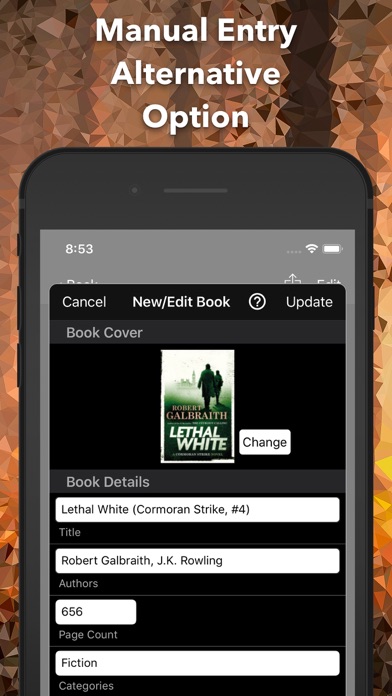
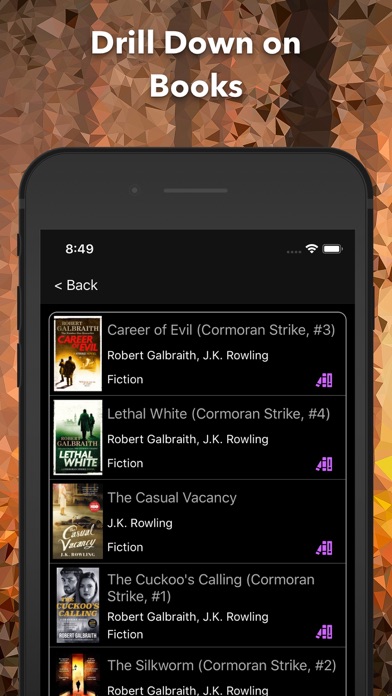
Do you keep a record of all of the books you are reading, want to read or have previously read? Do you like to share good book titles with your friends? My Bookshelf is the solution for you. Finding and adding books to your bookshelf is easy. First try a Google Book Search within the app, and failing a successful hit, perform a manual entry or scan a physical book's barcode. You can find books in on your bookshelves by either searching the list by author, category or title or, you can take a look at the bar charts and drill down on one of the monthly tallies, a, category, or an author. Once you find what you are looking for, you can edit the detail or you can revise the status and change the bookshelf, give it a rating or even your own review. Sharing your books is easy too as you can tap the share button and either Air Drop or email your friends. It will automatically go into their “To Read” bookshelf once accepted. If you don’t like the initial Dark Theme, you have two other themes to choose from. And finally, if you use an iPad as well as your iPhone, My Bookshelf has you covered. Install the app on your iPad and access the same information,. Update on one device and it is immedialy updated on the other.
What's new · 1.3
Fixed issue where adding a second book in succession manually would override previous book added manually.
Details