

Watch Compass
Bernhard Hering · Navigation
Independent analytics for this App Store listing. AppTracker is not affiliated with Bernhard Hering.
Chart standing · US
What changed · US
Listing changes AppTracker has observed for this app in this storefront — new versions, price moves, rating shifts, and store copy.
The Live Activity now features a round compass dial with direction and degrees in the CarPlay Dashboard and Apple Watch Smart Stack. Outdated direction readings show a waiting state in this compact view. Start the Live Activity on your iPhone; CarPlay display requires iOS 26 or later.
In-app purchases · US
What this app sells inside itself, grouped by kind and priced for this storefront.
Screenshots


About
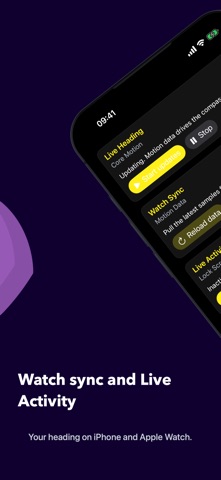
Watch Compass combines a direct live compass on iPhone with the movement directions recorded by your Apple Watch. CarPlay keeps heading and degrees visible while you drive. The Live Activity also shows them on the Lock Screen, in the Dynamic Island, and in the CarPlay Dashboard. At a glance: - current heading on a focused compass dial - latest movement direction with timestamp - direction profiles for today, seven days, and 30 days - a clear history of recent measurements - a dedicated CarPlay display for heading and degrees - course tracks with distance, average course, direction changes, and GPX/CSV export - Live Activity for the Lock Screen, Dynamic Island, and CarPlay Dashboard - widgets and Apple Watch complications - synchronized data across iPhone and Apple Watch Unlike a traditional compass, Watch Compass distinguishes between the current heading of your iPhone and the direction in which you were recently moving. You get immediate orientation together with a useful movement history. Compass Pro unlocks all premium features. Subscription terms: - Title: Compass Pro - Length: 1 year, auto-renewing - Terms of Use: https://www.apple.com/legal/internet-services/itunes/dev/stdeula/ - Privacy Policy: https://bernhardhering.de/privacy/
What's new · 2.7.2
The Live Activity now features a round compass dial with direction and degrees in the CarPlay Dashboard and Apple Watch Smart Stack. Outdated direction readings show a waiting state in this compact view. Start the Live Activity on your iPhone; CarPlay display requires iOS 26 or later.
Details