

RSE REMOTE
MOTREX CO., LTD. · Utilities
Independent analytics for this App Store listing. AppTracker is not affiliated with MOTREX CO., LTD.
Chart standing · US
In-app purchases · US
No in-app purchases.
Screenshots


About
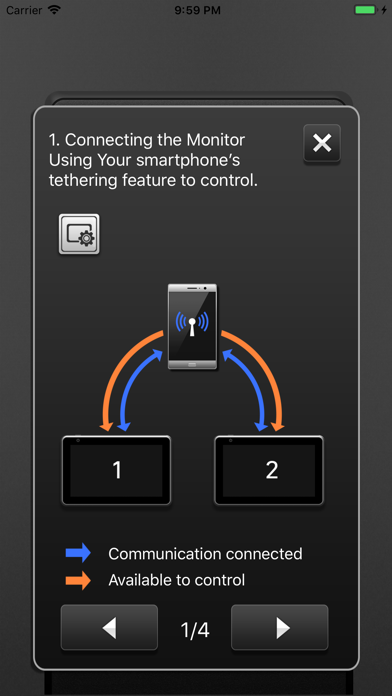
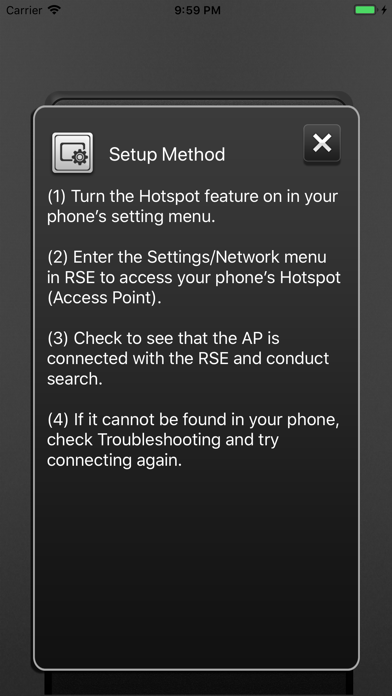
[Feature] The RSE remote app allows you to remotely control RSE using your smartphone. Use the RSE remote app to connect your smartphone to RSE and control various contents of USB and DVD, and control audio with ease in the front passenger seat. Functions of the RSE remote app 1.Power control of the RSE 2.Audio control of the RSE 3.DVD player control of the RSE 4.USB media player control of the RSE 5.HDMI control of the RSE 6.AV-In control of the RSE 7. Stream Media(option) control of the RSE Setup Method of the RSE remote app You can control the RSE by connecting the RSE and your mobile phone using Hotspot or Wi-Fi. 1. Turn on your phone's Hotspot. 2. After connecting the RSE with your mobile phone Hotspot, select the search function from among your mobile applications. 3. When the seat setting is displayed in the RSE (very first time), select the L / R according to the seat position and press the search button again on your mobile phone. 4. Connectable devices change to a white L / R button and the connected device is displayed in orange.
What's new · 1.6
Display image at 'Sound of nature' mode.
Details