

TeamViewer Assist AR (Pilot)
TeamViewer Germany GmbH · Productivity
Independent analytics for this App Store listing. AppTracker is not affiliated with TeamViewer Germany GmbH.
Chart standing · US
What changed · US
Listing changes AppTracker has observed for this app in this storefront — new versions, price moves, rating shifts, and store copy.
- Minor fixes and Improvements.
Price & rating history · US
Reconstructed from the listing changes AppTracker has observed in this storefront. A field is charted once it has changed more than once, and each line starts at the value it moved from.
Average rating · ★ 4.29 now · 5 changes on record
Ratings breakdown · US
The star breakdown behind this app's rating in this storefront.
Screenshots




About
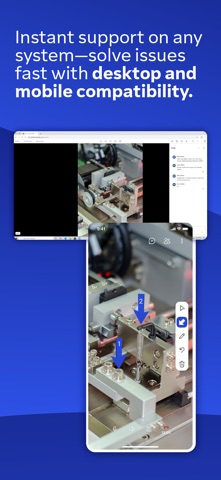
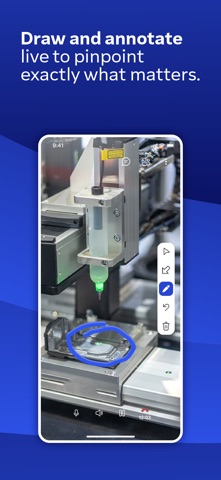
Use this app to receive remote assistance for all kinds of equipment, machinery, and infrastructure issues. • Simplify troubleshooting and improve productivity by showing the problem instead of just telling about it. • Receive real-time service and support from your remote experts • Your experts see what you see and annotate with 3D markers that stick to real-world objects • You can even share your knowledge by creating video tutorials for training purposes Key Features: • Remote camera sharing and real-time video streaming • HD VoIP • 3D annotations • Highest security standards: 256 Bit AES session encoding, 2048 Bit RSA key exchange • Plus so much more… TeamViewer Assist AR is the #1 choice for visual and remote guidance of field service technicians. Information on Mandatory Access ● Camera: Necessary to generate video feed on the app Information on Optional Access* ● Microphone: Fill the video feed with audio, or used to record message or session *You can use the app even if you do not allow the optional permissions. Please use in-app settings to disable the access.
What's new · 15.82.1
- Minor fixes and Improvements.
Details