

Custom Photo Keyboard
Amit Tulsiyani · Photo & Video
Independent analytics for this App Store listing. AppTracker is not affiliated with Amit Tulsiyani.
Chart standing · US
What changed · US
Listing changes AppTracker has observed for this app in this storefront — new versions, price moves, rating shifts, and store copy.
Price & rating history · US
Reconstructed from the listing changes AppTracker has observed in this storefront. A field is charted once it has changed more than once, and each line starts at the value it moved from.
Average rating · ★ 3.25 now · 2 changes on record
In-app purchases · US
What this app sells inside itself, grouped by kind and priced for this storefront.
Screenshots



About
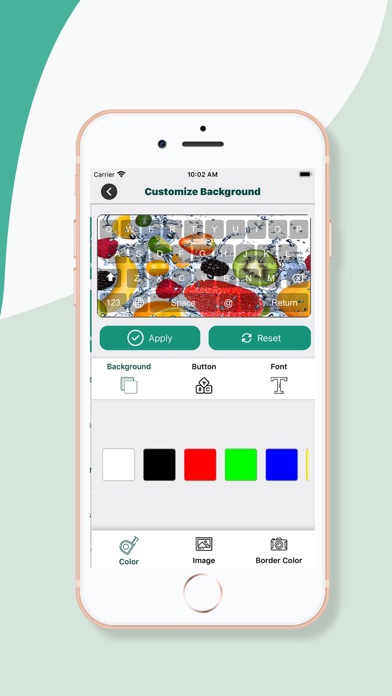
If you are looking to customize your iPhone keyboard, then we’ve good news for you. Check out this custom photo keyboard background app with beautiful collection of themes, Emojis and stylish fonts. Custom Photo Keyboard is a free keyboard background app for your iPhone that allows you to add pictures, selfies and wallpapers as your keyboard background. Being one of the best photo keyboard apps, this custom keyboard application allows you to add your own photos, selfies & collages of your loved ones as your keyboard background. Not only you can add pictures, but the custom keyboard background also comes with fancy fonts, amazing themes & Emojis/emoticons that you can use. The app also allows you to customize the keyboard theme completely by changing the keypad font’s style, color, keyboard background and many more things. With wide collection of 40+ different types of creative keyboard themes, you can also personalize the way you type and message your friends. An attractive user interface of the app makes the photo keyboard app a must have for every iPhone user. App Features: * Different types of themes * Fully customizable photo keyboard app * Portrait & landscape background options * Varied font styles available * Change the keypad key style, font & color * Attractive UI * Free to download How to change the keyboard background: * Click Settings >> tap on general section * Scroll down & tap on keyboard * Now click on keyboards * Next, tap on add new keyboard * From the list of keyboards, add the keyboard you want to add * Now press on the newly added keyboard and click on “Allow Full Access” to that app to use it on your keypad Say goodbye to your regular keyboards and download Custom Photo Keyboard Background app with fancy fonts & themes for full customization of your iPhone keyboard.
What's new · 5.0
- update framework with latest version - bug fixed
Details