

Picture Editor+ : Photo Layers
Andor Communications Private Limited · Photo & Video
Independent analytics for this App Store listing. AppTracker is not affiliated with Andor Communications Private Limited.
Chart standing · US
What changed · US
Listing changes AppTracker has observed for this app in this storefront — new versions, price moves, rating shifts, and store copy.
Bug fixes and performance improvements.
Ratings breakdown · US
The star breakdown behind this app's rating in this storefront.
In-app purchases · US
What this app sells inside itself, grouped by kind and priced for this storefront.
Screenshots


About
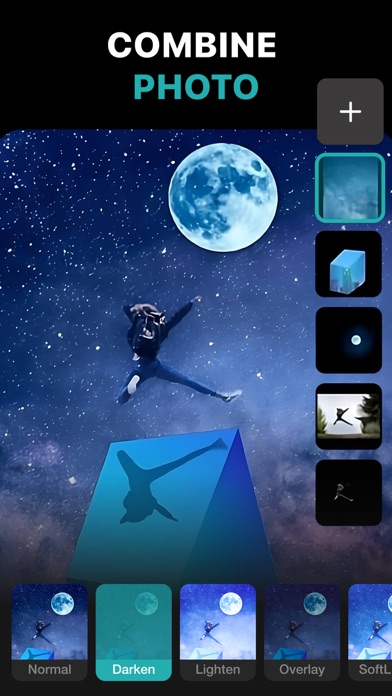
PhotoLeaf : Explore creativity by sleight of hand PhotoLeaf is a powerful, full-featured, layer-based photo editing app at your fingertips. Photo Leaf and a little imagination can make beautiful photo even more beautiful. PhotoLeaf is a photo editing app for everyone : whether you are novice, a pro user or mobile graphic designer. PhotoLeaf app will easily create amazing multi-layered creative with touch of your fingers. Enjoy All rendering, adjustments, brushes and filters are fully hardware accelerated. Overview: • Blend your photos, combine multiple images using layers • Superimpose photos using complex blending modes. • Remove unwanted objects from your image easily. • Custom overlay supported for more flexibility. • Add text layers, shapes and images to create stylish design creative. • Blur, sharpen, lighten, or darken portion/area of an image • Multiple mask modes can be applied on an area. Brush Mask, Color Mask, radial mask, Luminance mask Color correction Like A Pro: • Adjust the brightness and saturation of a color using Hue, Saturation, Lightness • Single-tap color correction presets with color balance, Temperature, Tint, Vibrance, Saturation. • Control the intensity of the respective color channels in the image with Curves: RGB, blue, red, green channels • Color correction with Levels • Tonal color correction with : Highlight and shadow tone, Tone balancing Light Adjustments: • Light: Exposure, Brightness, Contrast, Highlights, Shadows, Whites, Blacks, • Vignette: Amount, Highlights, Roundness General tools & features: 1. Cutout and Photo Background Changer • Use Lasso tool to recognise similar regions and change photo background • You can superimpose your cutout on any photo background and create new content 2. Color Splash Photo Effects • Selectively apply different color, light and gray photo effects on different regions of photos • Smart lasso tool to automatically select similar color splash regions • Powerful brush to selectively edit images 3. Merge photos • Mix photo to create impressive photo effects • Merge photos using different blend modes like darken blend, lighten blend to create double exposure, multiple exposure photo effects 4. Doodle and drawings • Use different doodle brush options to draw on your images • Change color, thickness and size of your doodle brush 5. Text on photo • Add different text on your images and create text memes as well • Option to change thickness, color, font, opacity of the added text 6. Blur Photo Editor • Apply different blur effects like lens blur, bokeh blur and use mask to blur background. • Apply vignette effect on inner and outer regions. 7. Unlimited social fun • Create your own stickers and cartoonize them • Superimpose stickers on different background images to wow your friends • Instantly share on Facebook,Twitter, WhatsApp, WeChat,Instagram and other social networks 8. Standard Editing • Apply global adjustments to your image by changing lighting, tonality and color of your image PHOTOLEAF PREMIUM SUBSCRIPTION : - You can subscribe PhotoLeaf premium subscription for unlimited access to all features within PhotoLeaf app. - Subscriptions are billed monthly, annually at the rate selected depending on the subscription plan. - Subscriptions auto-renew at the cost of the chosen package, unless cancelled 24-hours in advance prior to the end of the current period. - The subscription fee is charged to your iTunes account at confirmation of purchase. - You may manage your subscription and turn off auto-renewal by going to your Account Settings after purchase. - Per Apple policy, no cancellation of the current subscription is allowed during active subscription period. - Once purchased, refunds will not be provided for any unused portion of the term. - Terms of use: https://www.photoleaf.app/terms.html - Privacy policy: https://www.photoleaf.app/privacy.html
What's new · 1.1.7
Bug fixes and performance improvements.
Details