

Great Arrow Navi
Yuki Yoshinaga · Navigation
Independent analytics for this App Store listing. AppTracker is not affiliated with Yuki Yoshinaga.
Chart standing · US
What changed · US
Listing changes AppTracker has observed for this app in this storefront — new versions, price moves, rating shifts, and store copy.
- Changed place search to use Apple Maps - Improved compatibility with the latest iOS and watchOS - Fixed minor issues and improved stability
In-app purchases · US
No in-app purchases.
Screenshots

Keywords this app targets
Search terms AppTracker associates with this app — estimates, not search volume. ❝ = in the app's title; a highlighted number is its current position for that term.
Similar apps
Competitors and close alternatives, as estimated by AppTracker.
 AroNavi
Regenbogen-Lab
1 shared topic
AroNavi
Regenbogen-Lab
1 shared topic
 EZ Navigator
Kyle Ownbey
EZ Navigator
Kyle Ownbey
 WaypointGo: Point to Navigate
Luniq Pty Ltd
WaypointGo: Point to Navigate
Luniq Pty Ltd
 Northern Compass & Navigation
TreesWithLeaves
Northern Compass & Navigation
TreesWithLeaves
 Navigate Back
Christian Drapatz
Navigate Back
Christian Drapatz
 Pynch
Egor Funtikov
Pynch
Egor Funtikov
 Rangefinder for Watch
Orion Lukasz Gonerski
Rangefinder for Watch
Orion Lukasz Gonerski
 GPS Navigation Offline
Alexander Deplov
1 shared topic
GPS Navigation Offline
Alexander Deplov
1 shared topic
About
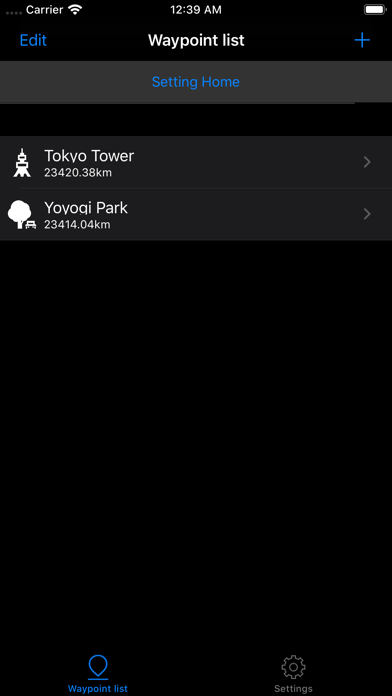
*AppleWatch only. Great Navigation with distance and direction only with Apple Watch! Unlike the route navigation application that uses a map, you can navigate to a destination by distance and direction only. For models with GPS, Applewatch will work independently. ■Recommended you. - Want to take a walk for free. - Want to grab the distance to the destination and walk. - Want to go to places I don't know. - Want to find shortest distance. - Can't Read Map... ■Functions Watch App - Distance and direction navigation - Register waypoints iPhone App - Register waypoints from the map - Search the destination and register the waypoint - Register to the waypoint using latitude and longitude - Edit waypoint ■How to use Step1 First register Home and waypoint. Register your position by watch and register location information from iPhone from map. Step2 Synchronize with your iPhone in the app's location list, and the watch will synchronize with the location you registered on your iPhone. Step3 From the list of Watchapp, tap the location and navigate to the destination. If you start Navi, please walk anyway. It is a mechanism that confirms the direction of walking by walking and shows the direction to the destination. (On the Apple Watch Series 5 or later, you can also use the compass.) Tips When you come to a place that you are interested in or want to come back to while moving, you can quit navigating and easily register a destination from the destination list screen.
What's new · 3.0.0
- Changed place search to use Apple Maps - Improved compatibility with the latest iOS and watchOS - Fixed minor issues and improved stability
Details