

Electronic Invoice Crypto
Juan Fullana · Productivity
Independent analytics for this App Store listing. AppTracker is not affiliated with Juan Fullana.
Chart standing · US
In-app purchases · US
What this app sells inside itself, grouped by kind and priced for this storefront.
Screenshots


About
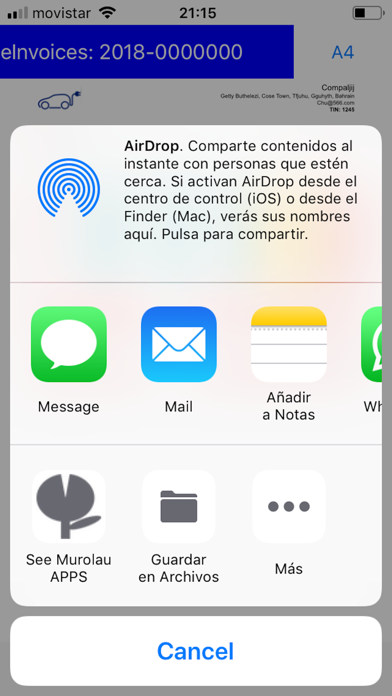
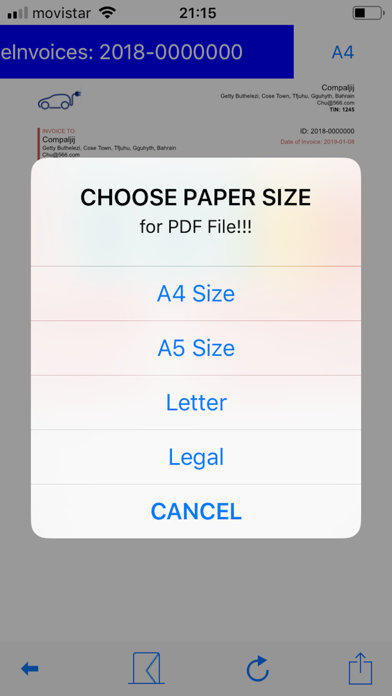
Cheap, practice, all the power of invoicing under your control. This application helps you manage the invoicing of your business very easily. You can issue invoices in HTML format. You can manage invoices, customers, suppliers and items. You can create, send or save an invoice in a few minutes. Instructions: Use search bar to find countries, currencies or other items in long lists. Menu SCREEN: 1.- Create or select invoice, customer, supplier or item. 2.- Choose language: Spanish, English or Chinese. 3.- Select your purchase options or restore them if you have already bought them 4.- You can see MUROLAU applications. Invoice, customer-supplier or item selection SCREEN: 1.-To find your files grouped by: First name Creation date Modification date Client Provider Invoice date Payment date Status 2.- Sort them, ascending or descending 3.- Sliding the line you can: delete, rename or duplicate the file. Invoice filling SCREEN: 1.- Fill in the main data that will appear on the invoice 2.- Choose from the list of suppliers, customers or items. 3.- Create and manage the different lines. (up to 256). You can add (+), replicate (+=) it, delete them, etc. 4.- Text in red means that this field is advisable to fill it and it is still empty. 5.- Preview: you can see your Invoice look. 6.- To avoid confusions, Numbers and Dates use International Standard Format. (ISO 31-0 and ISO 8601) 7.- Use NOTE field to indicate the tax type. Preview SCREEN 1.- Envelope: send the invoice in HTML format 2.- Circular arrow: change the appearance of your invoice: normal, warm, cold. bluish or ecological (for black and white prints) 4.- Square with arrow: store your invoice in the local files, Book, send it by different means etc ... 5.- Top right button: choose the paper size for the creation of the PDF file when available Step by step you will discover the ease of creating and managing your bills. Welcome to the best App for the management of your business invoices !!! Now includes crypto-currencies, to get into the blockchain world.
What's new · 7.0
Performance improvement. General improvements suggested by users. Thanks a lot.
Details