

UE Remote
Epic Games International, S.a.r.l. · Productivity
Independent analytics for this App Store listing. AppTracker is not affiliated with Epic Games International, S.a.r.l.
Chart standing · US
What changed · US
Listing changes AppTracker has observed for this app in this storefront — new versions, price moves, rating shifts, and store copy.
Now powered by Pixel Streaming 2, Unreal Engine Remote delivers a faster, higher-quality streaming experience when streaming a session from UEFN and UE 5.8 or later. Older versions of Unreal Engine are still supported using MJPEG streaming. Unreal Editor sessions from version 5.8 or later, or UEFN sessions from 40.30 or later are now discovered automatically on the local network and do not require you to enter the host IP address. LiveLink functionality has been deprecated, this functionality is now provided by the Unreal VCam app.
Price & rating history · US
Reconstructed from the listing changes AppTracker has observed in this storefront. A field is charted once it has changed more than once, and each line starts at the value it moved from.
Average rating · ★ 1.00 now · 3 changes on record
In-app purchases · US
No in-app purchases.
Screenshots
About
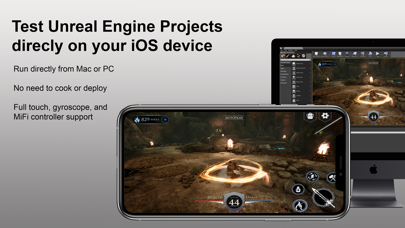
Unreal Engine Remote lets you quickly and easily test your Unreal Engine 5 and Unreal Editor for Fortnite projects directly on your development computer using your mobile device's touch controls. Stream your preview session directly to your iOS device and iterate on gameplay and input features in real time. Now powered by Pixel Streaming 2, Unreal Engine Remote delivers a faster, higher-quality streaming experience and full compatibility with Unreal Engine 5 and Unreal Editor for Fortnite. How to use Unreal Engine Remote with an Unreal Engine 5 project: * Open your Unreal Engine 5 project. * Launch Unreal Engine Remote on your iOS device. * Enable the Remote Session plugin in your Unreal Engine 5 project. * Make sure your development computer and mobile device are on the same network. * Launch Play In Editor session. * When the session is launched, enter your computer's IP address in the Unreal Engine Remote running on your mobile device and tap Connect. How to use Unreal Engine Remote with an Unreal Editor for Fortnite project: * Open your Unreal Editor for Fortnite project. * Launch Unreal Engine Remote on your iOS device. * Make sure your development computer and mobile device are on the same network. * Launch a Mobile Preview session. * When the session is launched, enter your computer's IP address in the Unreal Engine Remote running on your mobile device and tap Connect. Your preview session will appear on your iOS device, and all touch input on your iOS device will be processed as standard touch input.
What's new · 3.1.0
Now powered by Pixel Streaming 2, Unreal Engine Remote delivers a faster, higher-quality streaming experience when streaming a session from UEFN and UE 5.8 or later. Older versions of Unreal Engine are still supported using MJPEG streaming. Unreal Editor sessions from version 5.8 or later, or UEFN sessions from 40.30 or later are now discovered automatically on the local network and do not require you to enter the host IP address. LiveLink functionality has been deprecated, this functionality is now provided by the Unreal VCam app.
Details