

VideoToMP3 Offline Player
代增 杨 · Music
Independent analytics for this App Store listing. AppTracker is not affiliated with 代增 杨.
Chart standing · US
What changed · US
Listing changes AppTracker has observed for this app in this storefront — new versions, price moves, rating shifts, and store copy.
Ratings breakdown · US
The star breakdown behind this app's rating in this storefront.
In-app purchases · US
What this app sells inside itself, grouped by kind and priced for this storefront.
Screenshots


About
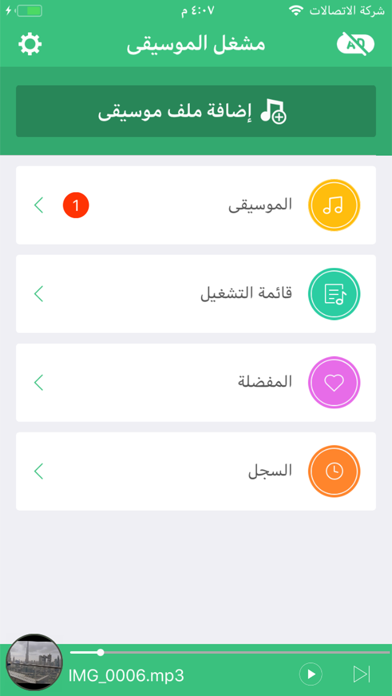
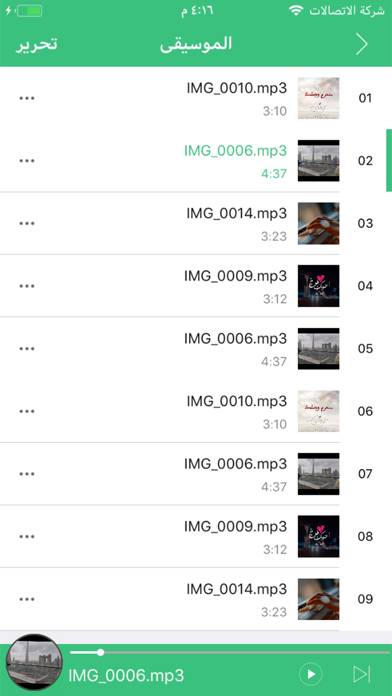
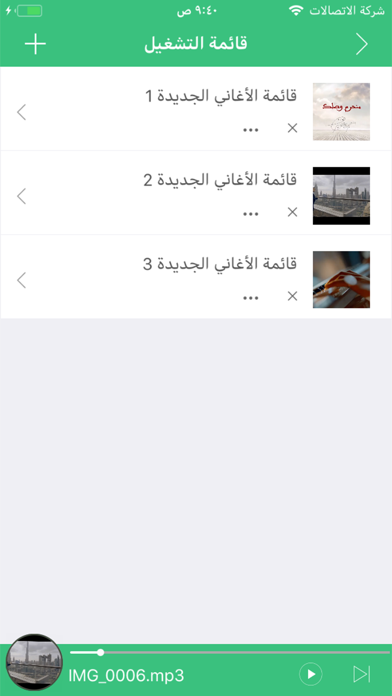
VideoToMP3 - All-in-One Offline Music Player Enjoy Lossless Music Without Internet Say goodbye to streaming interruptions. Whether you're on a flight, hiking in remote areas, experiencing poor network connectivity, or facing expensive data charges, VideoToMP3 puts you in full control of your music experience. Convert videos you've already saved on your phone or computer to high-quality audio with one tap, dramatically reduce file size and free up valuable phone storage, and build your personal offline music library — no Wi-Fi, no data, no compromises. Key Features Versatile Format Conversion • One-click batch extraction of audio from local videos, dramatically reduce file size and free up valuable storage • Convert between all major lossy and lossless formats: FLAC, MP3, AAC, WAV, M4A, OGG, AIFF, CAF • Lossless quality export and sharing • Direct audio extraction from camera roll videos Professional Audio Editing • Precision audio trimming, cut any segment • Create custom ringtones from any audio clip • Full-featured equalizer with custom frequency and gain control • Batch audio editing and sorting Personalized Playback Experience • 4 player styles: Square/Circular/Fullscreen cover, Classic Vinyl • Multiple theme colors to choose from • Light and dark mode support • Uninterrupted background playback • Create playlists for easy organization Secure Data Management • Wi-Fi transfer: Batch import/export audio and video from your computer • iCloud Backup: Backup your music files and playlists • One-click restore from iCloud, never lose your data • Edit music album art, updates in real-time The complete offline music solution that keeps your music always available. ---------------------------------------------------------------------------------------- Premium Features Unlock all premium features, including: - Batch convert video files to audio formats with one tap - Freely adjust the music equalizer, with support for custom frequency and gain - Quickly create your own ringtones (requires iOS 26.0 or later) - Switch between multiple player skins - Trim any audio clip - Convert between audio formats (e.g., FLAC, MP3, AAC, etc.) at will - Change the app’s theme color anytime - Create unlimited playlists - Background music playback - Export in lossless audio quality - Restore Saved iCloud Data Purchase Options We offer two ways to access premium features: 1. Weekly Subscription - The subscription period is one week. 2. Annual Subscription - The subscription period is one year. Your account will be charged for renewal within 24 hours prior to the end of the free trial period (if offered) and any subscription period. The subscription automatically renews unless auto-renewal is turned off at least 24 hours before the end of the free trial period (if offered) and any subscription period. Payment will be charged to your iTunes Account at confirmation of purchase. After purchase, you can manage your subscriptions and turn off auto-renewal by going to your Account Settings. Any unused portion of a free trial period, if offered, will be forfeited when you purchase a subscription. Special Note After updating to the latest version of the app, no in-app advertisements will be displayed. You can directly enjoy a full ad-free usage experience. Privacy Policy & Terms of Use Privacy Policy: https://sites.google.com/view/videotomp3offlineplayerprivacy Terms of Use: https://sites.google.com/view/videotomp3-offline-player-term
What's new · 1.2
This major update brings a host of powerful new features and optimizations to elevate your audio playback and editing experience: 1. Batch extract audio from local videos with one tap 2. Convert between various lossless audio formats 3. Precisely trim audio clips 4. Create custom ringtones from selected audio segments 5. Brand-new equalizer with adjustable frequency and gain 6. Batch edit and organize audio files 7. Switch between multiple player styles freely 8. Choose from a variety of theme colors 9. Light and Dark Mode supported 10. Batch import audio and video files via Wi-Fi 11. Back up your music files and playlists to iCloud 12. Restore data from iCloud in one click to avoid data loss 13. Edit album covers freely with real-time updates
Details