
Chart standing · US
What changed · US
Listing changes AppTracker has observed for this app in this storefront — new versions, price moves, rating shifts, and store copy.
Price & rating history · US
Reconstructed from the listing changes AppTracker has observed in this storefront, so each line starts at the first change on record.
Average rating
Ratings breakdown · US
The star breakdown behind this app's rating in this storefront.
Screenshots


About
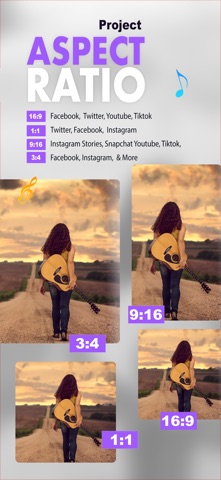
Video Editor Guru is an easy & useful photo video editor app. It has powerful Photo Editor and Video Editor features. It helps you create awesome videos with ease and edit all types of video. Classic Video Editor create stunning videos from photos, videos, and Live Images. Whether you are making social media content, personal memories, or creative projects, Video Editor Guru gives you the tools to build polished videos with smooth effects and music. Combine multiple media types into one timeline and customize your video with filters, text, stickers, and music. Add intro and outro clips to make your videos look more professional and engaging. It is also a photo editor. Edit pictures and selfies, change aspect ratio and background, add text and stickers. Features: - Add music, sound effects to videos and adjust volume. - Reverse or play video back to forth by one click. - Apply customised video filters and effects to videos. - Control video speed. Make Fast/Slow motion videos. - Add Text on video with many fonts & styles and text editing tools. - Apply animated stickers to videos. - Easily share video to social media. -There's no watermark and Banner Ads on Editing Page. Download and enjoy. SUBSCRIPTION: You can subscribe to premium features, choosing from the following plans: – 1 Month – 12 months - One Time (Unlock Everything) The subscription automatically renews unless auto-renewal is turned off at least 24 hours before the end of the current period. Payment will be charged to your iTunes account at confirmation of purchase. Account will be charged for renewal within 24 hours of the end of the current period, and the cost of the renewal will be provided. Subscriptions may be managed by the user. Auto-renewal may be turned off by going to the user’s Account Settings after purchase. No cancellation of the current subscription is allowed during active subscription period. Any unused portion of a free trial period, if offered, will be forfeited when the user purchases a subscription to that publication. TERMS OF USE: https://rmcreativeapps.wordpress.com/2020/01/02/terms-of-use/ PRIVACY POLICY: https://rmcreativeapps.wordpress.com/2018/10/19/privacy-policy/
What's new · 2.6
-Added new Speed Curve functionality for smoother speed transitions. - Bug Fixes and improvement in UI.
Details