

kotoca - Your Life Notebooks -
Sola, K.K. · Lifestyle
Independent analytics for this App Store listing. AppTracker is not affiliated with Sola, K.K.
Chart standing · US
What changed · US
Listing changes AppTracker has observed for this app in this storefront — new versions, price moves, rating shifts, and store copy.
We revised item editing and date entry. - Smart View now starts off. Tap an item to open the edit screen right away. If you already turned it on, it stays on - For dates, switch between Calendar and Numeric input. In Numeric input, you can simply enter 2711 for January 1, 2027
In-app purchases · US
What this app sells inside itself, grouped by kind and priced for this storefront.
Screenshots



About
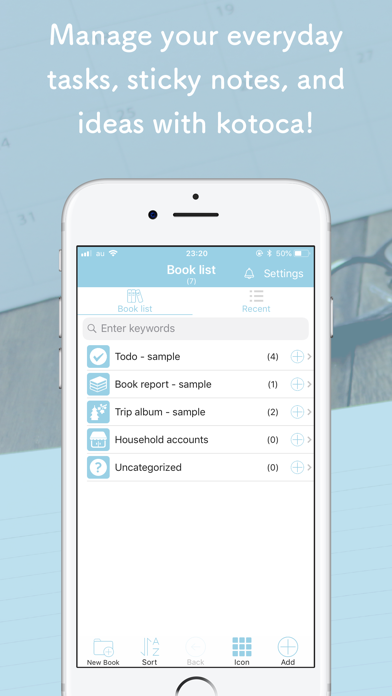
kotoca is a notebooks management application for efficiently arranging your own things. - Simple - Perfect for busy people, people who want to progress, people who want to use immediately - How to use - Title your memo and organize it in the category (book) as you like - Convenient - Not only text but also photos, dates, addresses, tasks, expenses and so on can be stored. === Premium version === Includes - No quantitative restrictions on items (the maximum number you can store in the free version is 30) - Text input using camera - Export data (CSV) - Ad free * Restore purchase on a new device You can restore your previous purchase on your new device. Just navigate to: [kotoca] -> [Settings] -> [Premium version] -> [Restore payment] ( purchase ) Make sure to log in to the App Store with the same AppleID as at the time of the purchase. •Terms of Service https://www.sola-air.com/terms-of-service-canris/ • Privacy Policy https://www.sola-air.com/privacy-policy/
What's new · 14.7
We revised item editing and date entry. - Smart View now starts off. Tap an item to open the edit screen right away. If you already turned it on, it stays on - For dates, switch between Calendar and Numeric input. In Numeric input, you can simply enter 2711 for January 1, 2027
Details