

Pop Out Timer Stopwatch Clock
Think Tap Work, LLC · Utilities
Independent analytics for this App Store listing. AppTracker is not affiliated with Think Tap Work, LLC.
Chart standing · US
What changed · US
Listing changes AppTracker has observed for this app in this storefront — new versions, price moves, rating shifts, and store copy.
Pop Out Timer now has native iPhone Duo Support • Flexible layouts to adjust for different Duo poses. • Book pose: take advantage of two-column layout for timer, stopwatch, and pomodoro. • Laptop pose: the time is always kept above the fold for a clear display. • Tent pose: full-screen timer with minimal controls. • Improved spacing and sizing of timer and clock. • Stopwatch and Pomodoro time no longer scrolls off-screen. • Lap button now uses a flag icon.
Price & rating history · US
Reconstructed from the listing changes AppTracker has observed in this storefront. A field is charted once it has changed more than once, and each line starts at the value it moved from.
Average rating · ★ 4.62 now · 7 changes on record
Ratings breakdown · US
The star breakdown behind this app's rating in this storefront.
In-app purchases · US
What this app sells inside itself, grouped by kind and priced for this storefront.
Screenshots


About
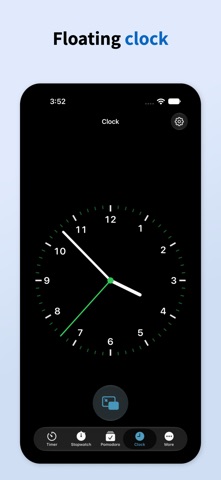
Pop Out Timer uses picture-in-picture to provide an always on-screen, floating timer, stopwatch, pomodoro, or clock. Perfect for presentations, workouts, cooking, studying, or any task that needs precise timing while using a full-screen app. While in picture-in-picture you can move the window around to any corner, flick it off screen, or resize with a pinch. Customize colors, aspect ratios, sounds, and display options to fit the way you work. If you choose to purchase a subscription, payment will be charged to your iTunes account, and your account will be charged for renewal 24 hours prior to the end of the current period. Auto-renewal may be turned off at any time by going to your settings in the iTunes Store after purchase. Terms of use: https://thinktapwork.com/tos.html
What's new · 6.2
Pop Out Timer now has native iPhone Duo Support • Flexible layouts to adjust for different Duo poses. • Book pose: take advantage of two-column layout for timer, stopwatch, and pomodoro. • Laptop pose: the time is always kept above the fold for a clear display. • Tent pose: full-screen timer with minimal controls. • Improved spacing and sizing of timer and clock. • Stopwatch and Pomodoro time no longer scrolls off-screen. • Lap button now uses a flag icon.
Details