

DrawPad: Trace & Draw
MULTITECHNIQUE BUSINESS COMAPNUY INVESTMENT · Entertainment
Independent analytics for this App Store listing. AppTracker is not affiliated with MULTITECHNIQUE BUSINESS COMAPNUY INVESTMENT.
Chart standing · US
What changed · US
Listing changes AppTracker has observed for this app in this storefront — new versions, price moves, rating shifts, and store copy.
A refreshed, colorful toolbar and animated welcome. Erasing, undo and redo are more reliable, including resumed drawings. Improved photo exports, Pro purchase restoration and advertising privacy choices.
In-app purchases · US
What this app sells inside itself, grouped by kind and priced for this storefront.
Screenshots

About
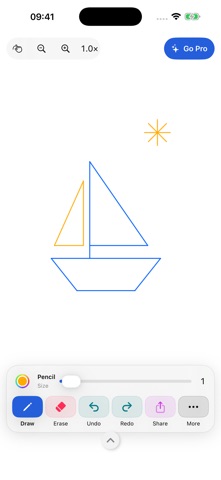
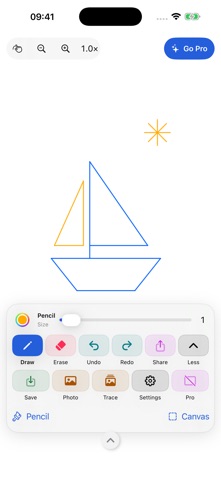
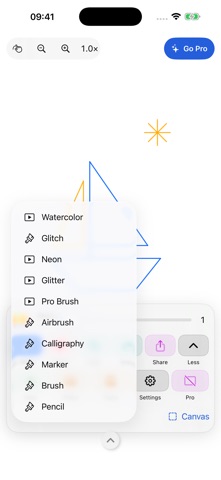
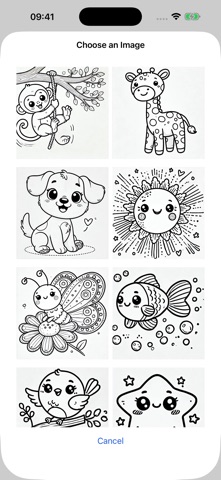
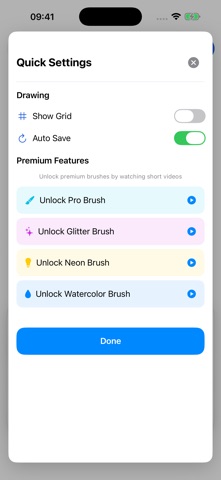
Turn a photo into drawing practice, or start with a blank canvas. Sketch, doodle and trace on your iPhone or iPad, then save or share what you create. DRAW AT YOUR OWN PACE Choose your brush, color and line width. Zoom in for details and move around the canvas. Erase a mistake, undo a stroke or redo it when you change your mind. TRACE YOUR OWN PHOTOS Import a photo as a reference, adjust its opacity and draw over it. Use the built-in images when you want a starting point. PICK UP WHERE YOU LEFT OFF Your current drawing stays on your device so you can return to it later. Start a new canvas for a fresh page. Drawing works offline, with no mandatory account. SAVE AND SHARE Save an image to Photos or share it from the app when you are ready. ONE OPTIONAL PRO UPGRADE The free version includes ads. DrawPad Pro is a one-time, non-consumable purchase that removes ads and unlocks all effect brushes, including neon, glitter and watercolor. Pro also includes Apple's native drawing palette on iOS 18 or later, with the tools supported by DrawPad. There is no subscription. Restore your purchase with the same Apple Account. Your local price appears in the app. Purchases and ads require an internet connection. Open DrawPad, choose a photo or a blank canvas, and make your first sketch. Privacy: https://myzalife.com/privacypolicy.html#drawpad Terms: https://www.apple.com/legal/internet-services/itunes/dev/stdeula/
What's new · 2.5.0
A refreshed, colorful toolbar and animated welcome. Erasing, undo and redo are more reliable, including resumed drawings. Improved photo exports, Pro purchase restoration and advertising privacy choices.
Details