

Meeting Room 365
Meeting Room 365 llc · Business
Independent analytics for this App Store listing. AppTracker is not affiliated with Meeting Room 365 llc.
Chart standing · US
What changed · US
Listing changes AppTracker has observed for this app in this storefront — new versions, price moves, rating shifts, and store copy.
Meeting Room 365 is now Meeting Room 365 Classic. Nothing else changes. Your displays, account, settings, and web dashboard all work exactly as before, and this app continues to be supported and maintained for existing deployments and older iPads. Setting up a new display on a current iPad? Our rebuilt native app, Meeting Room 365 Display, is now available as a separate download. • Maintenance and stability fixes
Screenshots


Keywords this app targets
Search terms AppTracker associates with this app — estimates, not search volume. ❝ = in the app's title; a highlighted number is its current position for that term.
Similar apps
Competitors and close alternatives, as estimated by AppTracker.
 Conference Room Display 2
Sebastian Bub
Conference Room Display 2
Sebastian Bub
 Awesome Calendar
YunaSoft Inc.
Awesome Calendar
YunaSoft Inc.
 Less Meeting
The Laramee Company, Inc.
Less Meeting
The Laramee Company, Inc.
 Setmore Appointment Scheduling
Setmore
Setmore Appointment Scheduling
Setmore
 SetTime Appointment Scheduler
We-Construct LLC
SetTime Appointment Scheduler
We-Construct LLC
 Notion Calendar
Notion Labs, Incorporated
Notion Calendar
Notion Labs, Incorporated
 Best Calendar - 最好看的原生风格日历
聪勋 陈
Best Calendar - 最好看的原生风格日历
聪勋 陈
 OneCal: Unified Calendar
OneCal SHPK
OneCal: Unified Calendar
OneCal SHPK
About
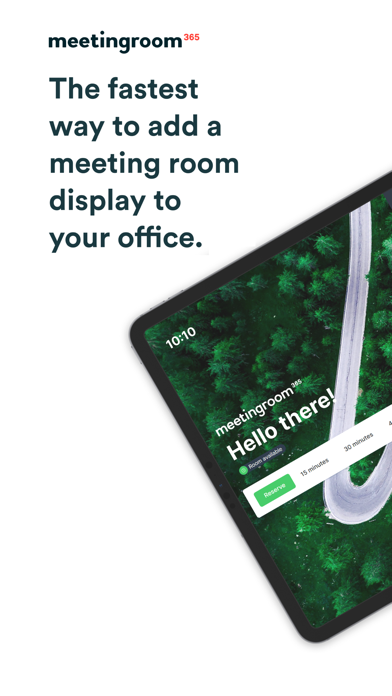
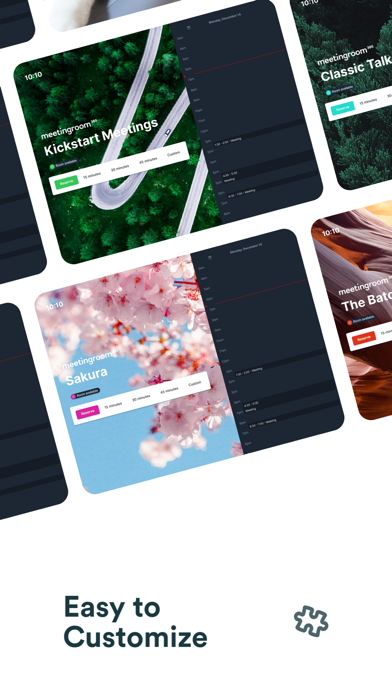
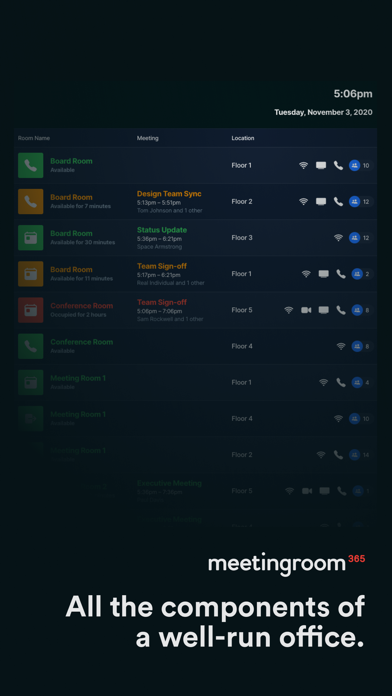
Meeting Room 365 Classic is the original Meeting Room 365 room display app, and it remains fully supported. If you already run Meeting Room 365 displays, nothing changes. Classic continues to receive maintenance releases and works with the same account, the same web dashboard, and the same settings you use today. It also runs on older iPads that our newer app does not support, so tablets already on the wall keep working. WHICH APP SHOULD I INSTALL? • Setting up a new display on a current iPad — install Meeting Room 365 Display, our rebuilt native app. • Maintaining an existing deployment, or running an older iPad — stay on Classic. Both apps use the same Meeting Room 365 account and the same web dashboard. Meeting Room 365 is the fastest way to add a meeting room display to your office - providing everything you need to coordinate, schedule, and organize your meeting rooms. Log into your web account to customize the look and feel of the display, and administer all of your tablets from a single website. Supports Microsoft 365™ (formerly Office 365™), Outlook™, Google Workspace™, and Exchange™. • Find an available room for a meeting, and book with a single tap • All settings can be managed remotely, with device statuses & reporting • Let users report room issues or make custom requests from the tablet • Connects to IFTTT for presence detection and hardware integration • Complete theming & style customization available online • Automatically cancel meetings if nobody shows up • Automatically prevents double booking • Always in-sync with your calendar system • Create unlimited meeting room displays • Works with your existing email tenant • Works great in Portrait or Landscape • Compatible with most MDM software • Localizable and Translatable • Fast & Easy to setup Visit our website for more details, and to create a Meeting Room 365 account.
What's new · 1.3.18
Meeting Room 365 is now Meeting Room 365 Classic. Nothing else changes. Your displays, account, settings, and web dashboard all work exactly as before, and this app continues to be supported and maintained for existing deployments and older iPads. Setting up a new display on a current iPad? Our rebuilt native app, Meeting Room 365 Display, is now available as a separate download. • Maintenance and stability fixes
Details