

My Dictionary -Collection App-
KAIHAWK · Reference
Independent analytics for this App Store listing. AppTracker is not affiliated with KAIHAWK.
Chart standing · US
What changed · US
Listing changes AppTracker has observed for this app in this storefront — new versions, price moves, rating shifts, and store copy.
• Redesigned the visual dictionary page UI • You can now "Save Photos", "Take a Screenshot" and "Copy Text" from the "・・・" button on the visual dictionary page • Screenshots are now saved with the top and bottom margins (status bar and home bar areas) cropped out • Excel files can now be imported directly from a button in the app • You can now duplicate a visual dictionary • The main image on the visual dictionary page now enlarges only when you tap the area where the photo is shown • "Restoring Deleted Visual Dictionaries" now shows the visual dictionary name in addition to its ID • Other minor bug fixes and stability improvements
In-app purchases · US
What this app sells inside itself, grouped by kind and priced for this storefront.
Screenshots



Keywords this app targets
Search terms AppTracker associates with this app — estimates, not search volume. ❝ = in the app's title; a highlighted number is its current position for that term.
Similar apps
Competitors and close alternatives, as estimated by AppTracker.
 Dictionaries
MONOKAKIDO Co. Ltd.
Dictionaries
MONOKAKIDO Co. Ltd.
 A-Dictionary: AI Vocab Builder
Oleksandr Revtov
1 shared title word
A-Dictionary: AI Vocab Builder
Oleksandr Revtov
1 shared title word
 iCollect Everything: Inventory
iCollect Everything, LLC
1 shared topic
iCollect Everything: Inventory
iCollect Everything, LLC
1 shared topic
 UDictionary Translator
Youdao Hong Kong Limited
UDictionary Translator
Youdao Hong Kong Limited
 番番辞書 - 日语词典
Guangzhou Youtu Information Technology Co., Ltd.
番番辞書 - 日语词典
Guangzhou Youtu Information Technology Co., Ltd.
 Kanji Learner's Dictionary
CJKI
1 shared title word
Kanji Learner's Dictionary
CJKI
1 shared title word
 Picture Bird: Bird identifier
Next Vision Limited
Picture Bird: Bird identifier
Next Vision Limited
 MyDex TCG Card Scanner
Alberto Moral
1 shared topic
MyDex TCG Card Scanner
Alberto Moral
1 shared topic
About
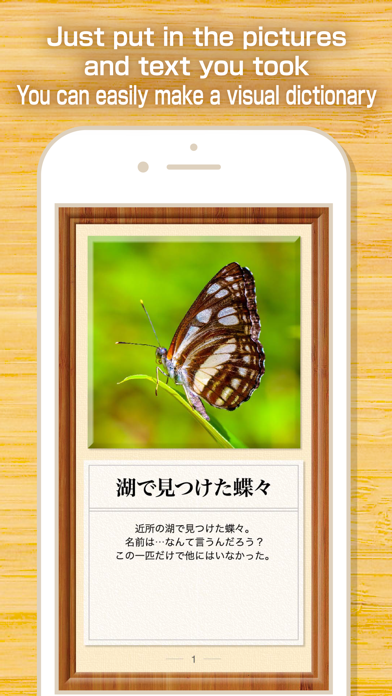
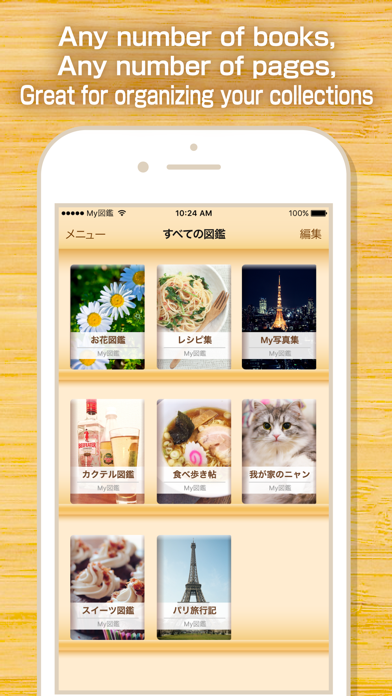
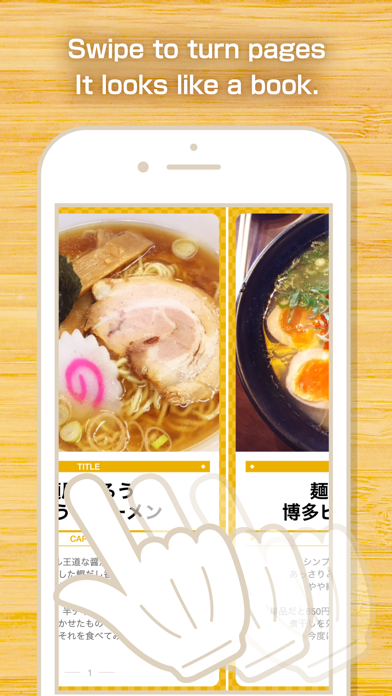
'My Dictionary' is the best application to manage the collection of all hobbies such as animation goods, books, CDs, DVDs, classic watches, movie brochures and posters. All you need is a photo of the item and a text. You can organize your collection like a visual dictionary. From stamps and tickets to anime goods such as figures, manhole covers, Buddhist statues and castles, gather your own collection using 'My Dictionary', a powerful collection management application developed and trained in Japan, a country with many geeky collectors. ● How to use - Insects and plants found in Hills and fields to visual dictionary - Recipe collection collected all together - Photograph collection taken with my hobby camera - As a travel note with travel photos summarized - Collect pictures of my favorite celebrities and put them in my own original photo album - Collect pictures of children and pets and put them in an album - Illustration drawn by myself to a picture diary ● Visual dictionary sharing between iPhone and iPad You can enjoy your visual dictionary on the large screen by synchronizing it with iPad (When subscribing to My picture book premium). You can, of course, sync your iPad book to your iPhone. You can also use iPhone to view and edit your iPad visual dictionary on the train while you're on the couch at home. It is up to you what visual dictionary to make! Using My Dictionary, let's make your own original books with ease and fun easily! ●Regarding the payment of My Dictionary Premium - Your payment will be billed to your iTunes account when you confirm your purchase. - Your subscription will be updated automatically unless you unsubscribe at least 24 hours before the end of the automatic update. - Your account will be billed for the renewal within 24 hours of the end of your current subscription period, and the renewal cost will be fixed. - Subscriptions are managed by you, and automatic updates can be removed by going to your account settings screen after purchase. - You can check the terms of use in the app and on the following page: http://kaihawk.jp/terms_my_dictionary.html
What's new · 11.9
• Redesigned the visual dictionary page UI • You can now "Save Photos", "Take a Screenshot" and "Copy Text" from the "・・・" button on the visual dictionary page • Screenshots are now saved with the top and bottom margins (status bar and home bar areas) cropped out • Excel files can now be imported directly from a button in the app • You can now duplicate a visual dictionary • The main image on the visual dictionary page now enlarges only when you tap the area where the photo is shown • "Restoring Deleted Visual Dictionaries" now shows the visual dictionary name in addition to its ID • Other minor bug fixes and stability improvements
Details