

eyeHear
eyeHear, LLC · Reference
Independent analytics for this App Store listing. AppTracker is not affiliated with eyeHear, LLC.
Chart standing · US
What changed · US
Listing changes AppTracker has observed for this app in this storefront — new versions, price moves, rating shifts, and store copy.
• New Caption Size setting: let captions shrink to fit the screen, or pick a fixed size, up to very large text. • Built for iPhone Duo: captions fill the open screen, History sits beside your conversations, and you can use Split View or open more than one window. • History now groups your sessions into conversations, with day headings that make an old one easy to find. • History opens faster and stays smooth, even after months of saved conversations. • In typing mode, "Clear" is now "New". It saves what you typed to History and starts a fresh note instead of erasing it.
Price & rating history · US
Reconstructed from the listing changes AppTracker has observed in this storefront. A field is charted once it has changed more than once, and each line starts at the value it moved from.
Average rating · ★ 4.47 now · 2 changes on record
Ratings breakdown · US
The star breakdown behind this app's rating in this storefront.
In-app purchases · US
No in-app purchases.
Screenshots




Keywords this app targets
Search terms AppTracker associates with this app — estimates, not search volume. ❝ = in the app's title; a highlighted number is its current position for that term.
Similar apps
Competitors and close alternatives, as estimated by AppTracker.
 Textify - Don't listen.. Read!
Dimitri Staufer
Textify - Don't listen.. Read!
Dimitri Staufer
 Notta Transcribe Voice to Text
Mind Cruiser Limited
Notta Transcribe Voice to Text
Mind Cruiser Limited
 Aiko
Sindre Sorhus
Aiko
Sindre Sorhus
 Mugen Transcribe: Voice Notes
Haruki Kurosawa
Mugen Transcribe: Voice Notes
Haruki Kurosawa
 文字起こしさん: 音声入力でテキスト変換、議事録、音声メモに
Atsushi Koyama
文字起こしさん: 音声入力でテキスト変換、議事録、音声メモに
Atsushi Koyama
 YoonSTT: Fast STT Converter
Dohyeon Kim
YoonSTT: Fast STT Converter
Dohyeon Kim
 Ava: Transcribe Voice to Text
Transcense Inc.
Ava: Transcribe Voice to Text
Transcense Inc.
 Hearing Helper - Live Captions
Mighty Fine Apps LLC
Hearing Helper - Live Captions
Mighty Fine Apps LLC
About
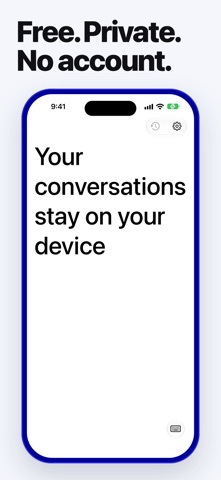
eyeHear allows anyone with an iPhone to caption any conversation anywhere. Press and hold the screen to caption what you or anyone else is saying in large, easy-to-read text. If speech isn't available, you can also use the keyboard to quickly type and still show large type. Choose how big captions look: let them shrink to fit the screen, or set a fixed size up to very large text. eyeHear also works on iPad and iPhone Duo. Every session is saved to History on your device, grouped into conversations, so you can read one again later, copy it, or share it if you choose to. eyeHear was designed to enable easier conversation for the deaf and hard-of-hearing communities in situations where sign language is not available. eyeHear is free with no in-app purchases. eyeHear uses Apple's speech recognition to provide captioning free-of-charge to users. When your device and language support it, that recognition runs on your device, so your conversations don't need to leave it. Your captions stay on your device, and eyeHear never receives your audio, your captions, or a record of your usage. eyeHear is an aid, not a substitute for a qualified interpreter or CART provider. Occasional mistakes can happen, especially with strong accents, fast speech, or noisy rooms. eyeHear® is a registered trademark of eyeHear, LLC in the United States (U.S. Reg. No. 5,397,223).
What's new · 1.7
• New Caption Size setting: let captions shrink to fit the screen, or pick a fixed size, up to very large text. • Built for iPhone Duo: captions fill the open screen, History sits beside your conversations, and you can use Split View or open more than one window. • History now groups your sessions into conversations, with day headings that make an old one easy to find. • History opens faster and stays smooth, even after months of saved conversations. • In typing mode, "Clear" is now "New". It saves what you typed to History and starts a fresh note instead of erasing it.
Details