

Handwriting to Text PenToPrint
Serandi systems LTD · Productivity
Independent analytics for this App Store listing. AppTracker is not affiliated with Serandi systems LTD.
Chart standing · US
What changed · US
Listing changes AppTracker has observed for this app in this storefront — new versions, price moves, rating shifts, and store copy.
We’re always working to make your experience smoother! In this update, we’ve polished the internal engine to ensure your scans are faster and the conversion more accurate than ever. If you’re enjoying Pen to Print, please consider leaving us a review - it helps us keep improving!
Price & rating history · US
Reconstructed from the listing changes AppTracker has observed in this storefront. A field is charted once it has changed more than once, and each line starts at the value it moved from.
Average rating · ★ 4.43 now · 2 changes on record
Ratings breakdown · US
The star breakdown behind this app's rating in this storefront.
In-app purchases · US
What this app sells inside itself, grouped by kind and priced for this storefront.
Screenshots




About
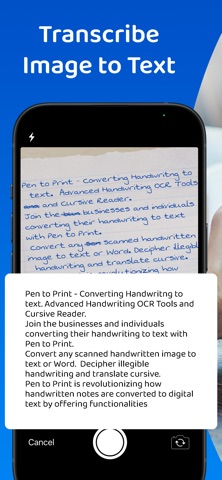
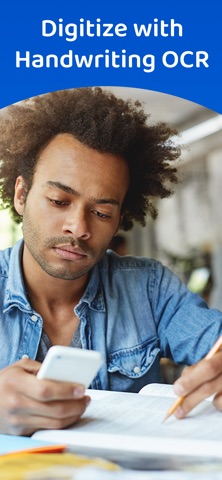
Tired of transcribing handwritten notes by hand? Pen to Print is a leading AI-powered handwriting to text scanner designed to bridge the gap between paper and digital. Our advanced OCR technology allows you to scan any handwritten document and transform it into a fully editable, shareable, and digitally stored file in seconds. Key Benefits of Pen to Print Convert to editable text: Scan any handwritten page and turn it into digital text. Once digitized, you can edit the content directly, correct errors, and format the text to suit your needs. Seamless export and sharing: Move your converted notes exactly where you need them. Export as a Word document or a plain text file, and share via email, cloud storage, or other apps with a single tap. Proper storage and searchability: Keep your physical paper clutter-free. By digitizing your notes, you can create a searchable digital archive that is easy to navigate, search, and store for the long term. Why choose Pen to Print? It is reliable, accurate, and powered by the most advanced AI and OCR technology. It is designed to be fast and intuitive, reading all kinds of handwriting - including cursive and messy script - so you can focus on your work instead of your transcription. Who is it for? Pen to Print is the essential tool for: - Students capturing lecture notes and assignments. - Teachers grading and digitizing student work. - Genealogists transcribing family history and old letters. - Business teams digitizing meeting minutes and brainstorms. - Professional writers editing their handwritten drafts. - Individuals looking for help reading messy handwriting or cursive notes. The Yearly Plan and Monthly Plan are auto-renewing subscriptions, providing an unlimited amount of text exports for a year/ a month respectively, therefore: Payment will be charged to iTunes Account at confirmation of purchase. Subscription automatically renews unless auto-renew is turned off at least 24 hours before the end of the current period. The account will be charged for renewal within 24 hours prior to the end of the current period, and identify the cost of the renewal. Subscriptions may be managed by the user and auto-renewal may be turned off by going to the user's Account Settings after purchase. Check out our terms & conditions at:https://www.pen-to-print.com/terms/ Download Pen to Print today and transform your handwriting into a powerful digital asset.
What's new · 2.18
We’re always working to make your experience smoother! In this update, we’ve polished the internal engine to ensure your scans are faster and the conversion more accurate than ever. If you’re enjoying Pen to Print, please consider leaving us a review - it helps us keep improving!
Details