

HP Samsung Mobile Print
HP Inc. · Productivity
Independent analytics for this App Store listing. AppTracker is not affiliated with HP Inc.
Chart standing · US
What changed · US
Listing changes AppTracker has observed for this app in this storefront — new versions, price moves, rating shifts, and store copy.
Price & rating history · US
Reconstructed from the listing changes AppTracker has observed in this storefront. A field is charted once it has changed more than once, and each line starts at the value it moved from.
Average rating · ★ 2.13 now · 2 changes on record
Ratings breakdown · US
The star breakdown behind this app's rating in this storefront.
In-app purchases · US
No in-app purchases.
Screenshots
About
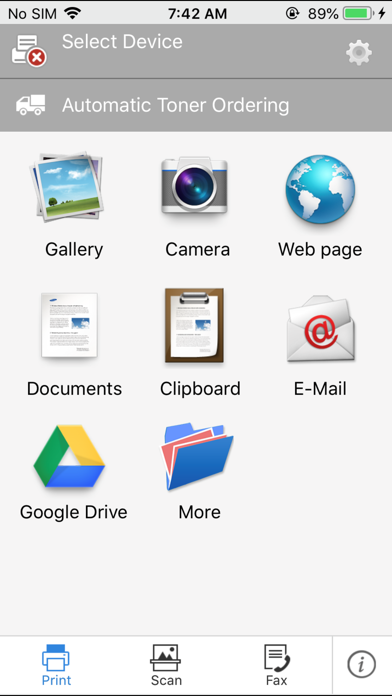
[Overview] How great would it be if you could print pictures, Documents, and web pages directly from iPhone, iPod Touch or iPad? With the Samsung Mobile Print application, now you can print to and scan from your Samsung printer/MFP. With Samsung Mobile Print, you now have a convenient printing application for your busy lifestyle with convenience, great prints, and lightning-fast scanning. [Features] - Automatic printer searching on a local wi-fi network. - Can configure and print on Samsung printers shared via print server or PC. - Requires no driver installation. - Printing photos, documents, email and web pages. - With support of OpenIn, Documents and images stored with other apps can be printed easily. - In-App support for printing documents and images stored on cloud service. - Can copy and print images / text / web pages using clipboard function. - Scanning a document directly to your mobile device as PDF, JPG, PNG formats [Supported Network Models with Ethernet or Wi-Fi] * M2020/2070/283x/288x/262x/282x/267x/287x/4370/5370/4580/5270/4530/403x/408x/301x/306x/5360 Series * C410/460/420/470/430/480/1810/1860/2620/2670/268x/140x/145x/4820/3010/3060/351x/401x/406x Series * CLP-300/31x/32x/350/360/610/620/660/670/680/770/775 Series * CLX-216x/316x/317x/318x/838x/854x/9252/9352/92x1/93x1 Series * ML-1865W/2150/2160/2165/2250/2525/257x/2580/285x/2950/305x/3300/347x/331x/371x/405x/455x/551x/651x Series * SCX-1490/2000/320x/340x/4623/4x21/4x24/4x26/4x28/470x/472x/4x33/5x35/5x37/6545/6555/8030/8040/8123/8128 Series * SF-650, SF-760 Series * SL-J1760/2920/2960/3520/3560/5520/5560 Series [Customer Support] support@samsungcloudprint.com [App Access Privilege] To provide quality service, the app needs below app access privilege. You can use basic function of app without consent of Optional App access privilege: - Mandatory Access Privilege . Storage: Needed for temporary storage of files for printing and scanning . Contacts: Needed for getting Fax numbers from contacts . Notifications: Needed to receive remote notifications from server . Background Mode: Allows app to run in background for long running operations like scanning and firmware update . Wi-Fi: For searching and connecting to MFPs, sending Print jobs and receiving scanned images - Optional Access Privilege . Camera: Allows user to capture images and then preview and print directly to Samsung printers . Photos: Allows user to search photos on the device and then preview and print directly to Samsung printers . iCloud: Allows user to import files from iCloud and other web storage services for printing and fax Samsung Mobile Print Support
What's new · 2.07.015
Changed the way to print MS Office document Fix minor bugs
Details