

TSP Alert
Stan Baran · Finance
Independent analytics for this App Store listing. AppTracker is not affiliated with Stan Baran.
Chart standing · US
What changed · US
Listing changes AppTracker has observed for this app in this storefront — new versions, price moves, rating shifts, and store copy.
Improved Goals planning • Added support for Required Contribution, Additional Initial Amount, and Time to Target goal calculations. • Improved goal results and allocation details. • Inactive allocations are now easier to identify and edit. • Simplified goal setup and improved long-term projection displays.
Ratings breakdown · US
The star breakdown behind this app's rating in this storefront.
In-app purchases · US
No in-app purchases.
Screenshots




Keywords this app targets
Search terms AppTracker associates with this app — estimates, not search volume. ❝ = in the app's title; a highlighted number is its current position for that term.
Similar apps
Competitors and close alternatives, as estimated by AppTracker.


About
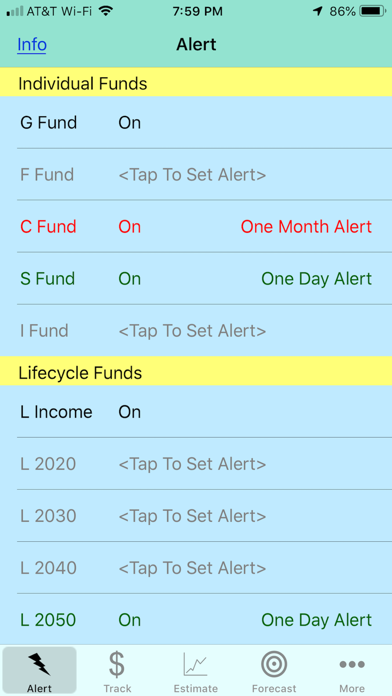
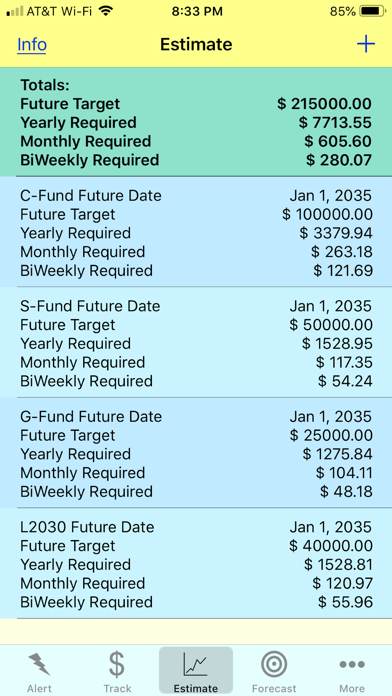
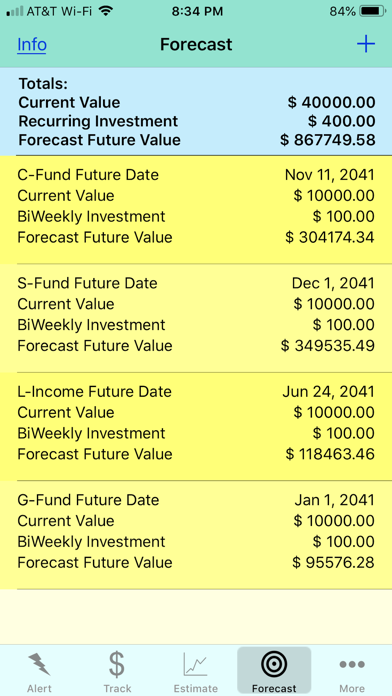
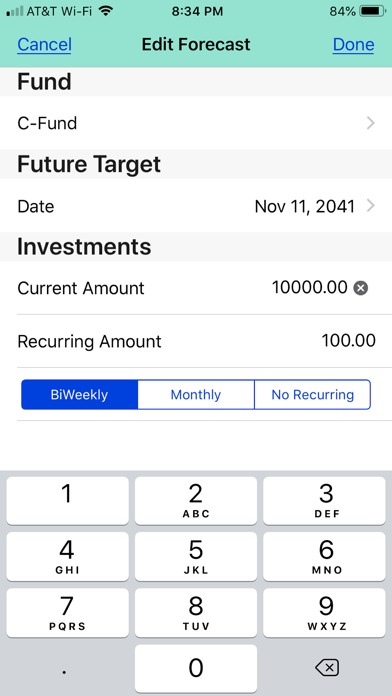
For US Government Employees or Retirees, military or federal, who would like: to get an alert when a Thrift Savings Plan (TSP) fund changes by a determined amount, to quickly examine the Thrift Savings Plan (TSP) past performance, to easily track their current investments, to quickly make reasonable estimates of how much must be saved in an investment to yield a target amount, and to easily estimate how much a given investment will yield at a future date, without accessing the TSP website or exposing any personal information to the internet. All data entered into this app is kept contained on your device. This app does not send any TSP data that you add to it to any central entity. This app does not require your TSP account information nor is there any way to store your account access details into the app. To set an alert select a fund from the alert screen. Examine the graphs at the bottom of the screen by touching Days, Weeks, or Months. Select from “Previous Day”, “A Week Ago”, and “A Month Ago”. Set a percentage from 0.25% increments. Once set, the funds status will be on the “Alert” screen. The alert for this fund will be "on" or the alert will have text in red for negative or text in green for positive results. To see how much you would have in the C-Fund if you had invested $100 per pay period since the beginning of the TSP program you simply press the “+” button on the “Track” screen and enter a Portfolio Name, then tap the "+" button and select add investment, pick “C-Fund” and create the investment, tap "+" to add a contribution. Add the amount ($100) and select “BiWeekly" frequency select the date field under “Recurring Investment” and choose May 31 2003, then press “Save”. The answer will be displayed on the “Track” screen. If you use "Track" for your investments assure the dates match those where contributions are made. Terms of Agreement By using the app including content, updates and new releases that are provided, you accept that you are bound by this Agreement. You must read this Agreement and indicate your acceptance during the purchase process. Notifications You must agree to notifications to get full use of the alerts provided by this APP. They may be customized, deactivated or reactivated by you. These alerts allow you to choose alert messages for your accounts. Each alert has different options available, and you will be able to select from among these options upon activation of your alerts. You understand and agree that any alerts provided to you may be delayed or prevented by a variety of factors. The delivery, timeliness, or accuracy of the content of any alert cannot be guaranteed. There shall not be liability for any delays, failure to deliver, or misdirected delivery of any alert; for any errors in the content of an alert; or for any actions taken or not taken by you or any third party in reliance on an alert. Disclaimer of Representations and Warranties THE SOFTWARE IS PROVIDED "AS IS", WITHOUT WARRANTY OF ANY KIND, EXPRESS OR IMPLIED, INCLUDING BUT NOT LIMITED TO THE WARRANTIES OF MERCHANTABILITY, FITNESS FOR A PARTICULAR PURPOSE AND NONINFRINGEMENT. IN NO EVENT SHALL THE AUTHORS OR COPYRIGHT HOLDERS BE LIABLE FOR ANY CLAIM, DAMAGES OR OTHER LIABILITY, WHETHER IN AN ACTION OF CONTRACT, TORT OR OTHERWISE, ARISING FROM, OUT OF OR IN CONNECTION WITH THE SOFTWARE OR THE USE OR OTHER DEALINGS IN THE SOFTWARE. Not a Financial Planner THE APP IS NOT INTENDED TO PROVIDE FINANCIAL ADVICE. The app is intended only to assist you in your financial organization and decision-making and is broad in scope. Your personal financial situation is unique, and any information and advice obtained through the app may not be appropriate for your situation. Accordingly, before making any final decisions or implementing any financial strategy, you should consider obtaining additional information and advice from your accountant or other financial advisers who are fully aware of your individual circumstances.
What's new · 2.2.1
Improved Goals planning • Added support for Required Contribution, Additional Initial Amount, and Time to Target goal calculations. • Improved goal results and allocation details. • Inactive allocations are now easier to identify and edit. • Simplified goal setup and improved long-term projection displays.
Details