

4English - Learn English
4ENGLISH TECHNOLOGY COMPANY LIMITED · Education
Independent analytics for this App Store listing. AppTracker is not affiliated with 4ENGLISH TECHNOLOGY COMPANY LIMITED.
Chart standing · US
What changed · US
Listing changes AppTracker has observed for this app in this storefront — new versions, price moves, rating shifts, and store copy.
What's new: - Improved English learning videos (Shorts): faster loading, smoother vertical swiping, full-screen viewing. - New Explore section on the Home screen with fresh Shorts every day. - Shorts and bilingual stories now appear in a new grid layout, with the full story library available. - More English learning materials and topic-based vocabulary sets. - Bug fixes and overall performance improvements.
Ratings breakdown · US
The star breakdown behind this app's rating in this storefront.
In-app purchases · US
What this app sells inside itself, grouped by kind and priced for this storefront.
Screenshots





About
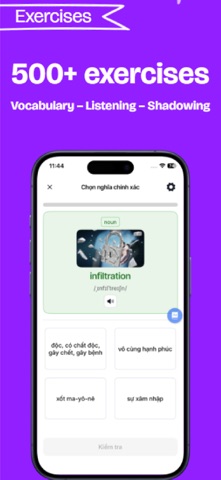
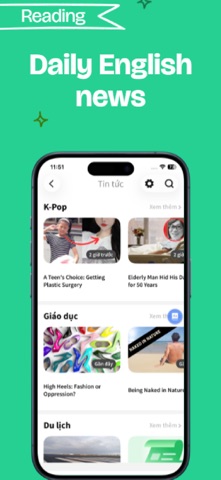
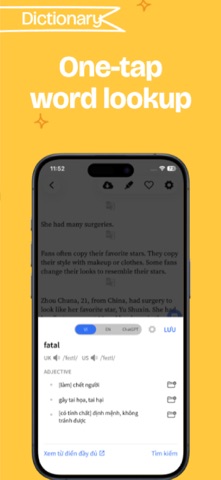
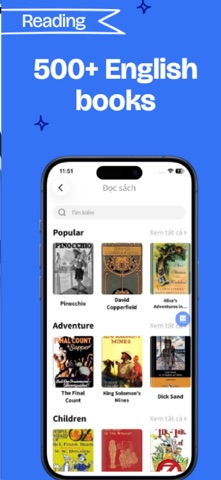
4English is a "SUPER APPLICATION" that helps you learn English effectively, including the following outstanding functions: LEARN ENGLISH VOCABULARY • Learn vocabulary with the scientific method of Spaced Repetition • Memorize words in many ways: images, flashcards, fill in the blanks,... • 1000+ vocabulary packs: IELTS, TOEIC, TOEFL, idioms, events,... • Save words directly, and create your word packs through articles, news, stories, and videos,... READ ENGLISH NEWS AND NEWSPAPER • Update news and practice English at the same time • 1000+ Bilingual News and Newspaper articles • Full range of reputable newspapers, news updated continuously every day • If you come across a new word while reading, you just need to touch the word to look up the meaning immediately ENGLISH BOOK • Reading English books is an effective way to practice Reading skills • Especially in 4English, you can look up words and translate paragraphs directly while reading, helping you save time • There are up to 500+ good and reputable English books ENGLISH VIDEO • 10,000+ videos with subtitles and rich topics • Practice listening to English every day through situational videos and conversations • Can connect directly to your YouTube account • Practice English directly with features: fill in missing vocabulary, translate subtitles, look up words while watching videos,... ENGLISH GRAMMAR • The entire theory of how to use words and sentences • 12 tenses in English: formula, usage, recognition signs ENGLISH EXERCISE Practice 4 English skills through exercises: • Listen and fill in the words • Listen and complete the phrase • Listen and read • Listen to the dictation • Shadowing ENGLISH WORD CHAIN GAME • Learn vocabulary through the game • Help you reflect words quickly and expand your vocabulary • Improve your English while having fun with your friends 4English - helps you practice all 4 English skills in just 1 single application - easily and effectively. 4English wishes you all the best in your English study! Please read Terms of Use: https://4englishapp.com/terms-conditions/
What's new · 10.1.1
What's new: - Improved English learning videos (Shorts): faster loading, smoother vertical swiping, full-screen viewing. - New Explore section on the Home screen with fresh Shorts every day. - Shorts and bilingual stories now appear in a new grid layout, with the full story library available. - More English learning materials and topic-based vocabulary sets. - Bug fixes and overall performance improvements.
Details