

Graffiti & Drawing -Rakugaky-
AppSeed, Incorporated. · Entertainment
Independent analytics for this App Store listing. AppTracker is not affiliated with AppSeed, Incorporated.
Chart standing · US
What changed · US
Listing changes AppTracker has observed for this app in this storefront — new versions, price moves, rating shifts, and store copy.
Enjoy drawing on photos with more confidence. • Expanded Undo and added Redo for drawing, moving, deleting, editing text, rotating photos, and applying filters. • Edits are saved automatically as a draft, so you can continue from the home screen. The latest single draft is available for free. • Added confirmation before leaving an edit with unsaved changes. • Fixed issues with saving, overwriting, and renaming projects. • Improved stability when selecting photos, saving, sharing, purchasing, and restoring purchases.
In-app purchases · US
What this app sells inside itself, grouped by kind and priced for this storefront.
Screenshots




About
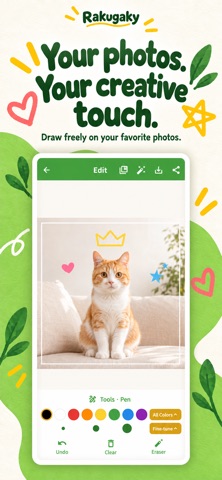
Draw on photos, add handwritten text, and turn everyday pictures into colorful creations with Rakugaky. Decorate photos with 20 standard pen colors and 40 Premium colors, for 60 colors in total. Premium colors require a monthly or annual subscription. Photo editing also includes color inversion, blur, and mosaic effects. Choose a photo from your album or take one with the camera, then draw words and illustrations directly on it. Adjust pen width and opacity to create anything from delicate handwriting to bold doodles. FEATURES • Add handwritten text, doodles, and drawings to photos • 20 standard colors and 40 Premium colors • Adjustable pen width and opacity • Undo and an eraser to correct your drawings • Zoom in and out on photos • Adjust filter intensity with a slider • Save edited images to your photo album • Share your creations on social media PHOTO FILTERS Use 17 standard filters, including sepia, monochrome, mosaic, blur, color enhancement, hue, contrast, color inversion, and line effects. Premium adds 5 more filters, including pop art, watercolor, and neon, for 22 filters in total. MAKE IT YOUR OWN • Write messages or signatures on photos • Decorate pictures with a fun photo-booth look • Apply mosaic or blur effects • Change a photo's colors and mood • Decorate and share family photos • Add notes and annotations to images • Enjoy drawing and coloring on photos • Create portraits and graffiti-style artwork If you use blur or mosaic to conceal faces or personal information, check the edited image before saving or sharing it. HOW TO USE 1. Take a photo or choose one from your album. 2. Draw with your preferred pen color and width. 3. Apply filters such as color inversion, blur, or mosaic if needed. 4. Save the finished image to your device and share it. ABOUT PREMIUM A monthly or annual Premium subscription includes 40 Premium colors, 5 Premium filters, and ad removal. A separate one-time purchase removes ads only and does not include the same features as Premium. Subscriptions renew automatically and can be managed or canceled in your device's store settings. Whether you want to add text, doodle by hand, or decorate a photo, make everyday pictures your own with Rakugaky.
What's new · 2.0.11
Enjoy drawing on photos with more confidence. • Expanded Undo and added Redo for drawing, moving, deleting, editing text, rotating photos, and applying filters. • Edits are saved automatically as a draft, so you can continue from the home screen. The latest single draft is available for free. • Added confirmation before leaving an edit with unsaved changes. • Fixed issues with saving, overwriting, and renaming projects. • Improved stability when selecting photos, saving, sharing, purchasing, and restoring purchases.
Details