

Ad blocker by Magic Lasso
Magic Lasso Pty Ltd · Utilities
Independent analytics for this App Store listing. AppTracker is not affiliated with Magic Lasso Pty Ltd.
Chart standing · US
What changed · US
Listing changes AppTracker has observed for this app in this storefront — new versions, price moves, rating shifts, and store copy.
Magic Lasso v5.6 introduces powerful news ways to simply and easily customize your ad blocking experience via the expanded Magic Lasso Adblock web extension (accessed via the page or jigsaw icon in the Safari address bar): - Specify which ads, trackers and annoyances are allowed or blocked – Simply access the Magic Lasso web extension in Safari, select All Sites, and you can enable or disable YouTube, Annoyances, Regional Ad Blocking and more - Disable ad blocking on a site – Tap the Magic Lasso Adblock web extension to disable ad blocking on the current site, or alternatively block Media, Cookies or JavaScript - Disable ad blocking on a site for a specific time period – Under "Disable ad blocking" in the Magic Lasso Adblock web extension, you can now select how long Magic Lasso will be disabled. Ad blocking will automatically enable itself once the time period expires - Block page elements with a streamlined 'Tap to Block' – Select "Page Elements" in the Magic Lasso Adblock web extension to block a single element (or a whole series of elements) so they never appear whenever you browse that site again - Quickly jump between Configured Site settings – In the extension, tap the current site name to select from your list of Configured Sites, and change settings for any site with a single tap - See the difference ad blocking makes – With Insights for individual sites, in the Current Site view, a summary of how many ads and trackers are blocked on that site is displayed; tapping the summary shows detailed Insights including the average page loading speed increase along with the data, energy and carbon saved by Magic Lasso Magic Lasso v5.6 also delivers full support for iOS 27 and iPadOS 27. If you are using iOS 27+ or iPadOS 27+, ensure that "Connectivity Assist" is disabled on your device in Settings > Wi-Fi. Connectivity Assist conflicts with Magic Lasso's App Ad Blocking feature, and if enabled, will stop ads from being blocked in apps. Once updated, open the Magic Lasso app to ensure you are using the most recent ad blocking rules.
Price & rating history · US
Reconstructed from the listing changes AppTracker has observed in this storefront. A field is charted once it has changed more than once, and each line starts at the value it moved from.
Average rating · ★ 4.23 now · 10 changes on record
Ratings breakdown · US
The star breakdown behind this app's rating in this storefront.
In-app purchases · US
What this app sells inside itself, grouped by kind and priced for this storefront.
Screenshots




About
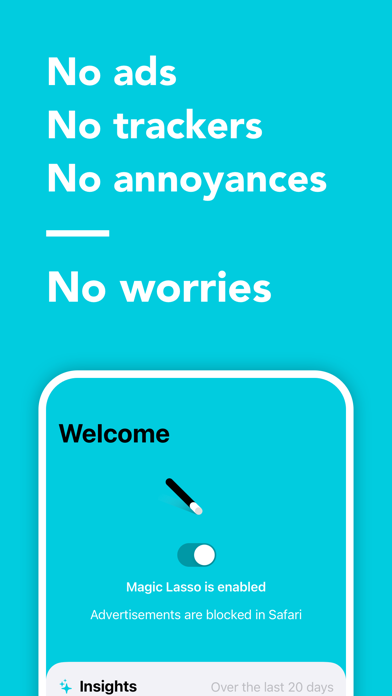
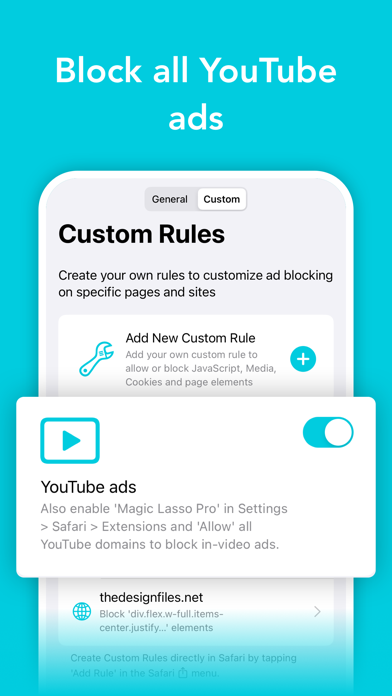
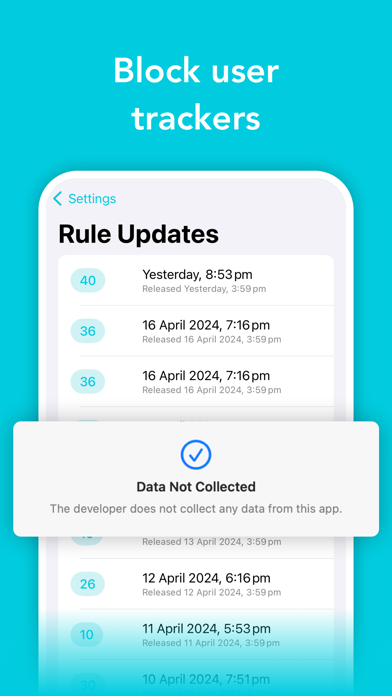
Magic Lasso Adblock is the fastest, most efficient Safari, YouTube, App and Apple TV ad blocker available. 400,000+ users rely on Magic Lasso Adblock to: • Block ads and trackers – Block ads in Safari, YouTube, Apps and more • Browse 2.0x faster – Experience distraction free, faster web browsing • Protect your privacy – Block trackers to surf safe and sound • Support for all your devices – A native app for all your devices: iPhone, iPad, Mac and Apple TV “It works and feels as if Apple themselves had designed an ad blocker.” - John Gruber, Daring Fireball ▶ Safari Ad Blocking – Fast, Private & Native Block ads and trackers directly in Safari for a better web experience. • 2.0x Speed – Cut down on ads and trackers to load websites 2x faster and use less data • Block Annoyances – Block annoying cookie notices and privacy prompts • Block Trackers – Improve your privacy and stop being followed by ads around the web • Regional Ad Blocking – Block ads in over 40 different regions and languages • Battery Boost – Double battery life by blocking nefarious JavaScript and crypto mining scripts • Performance Insights – Visualise ad blocking speed, energy efficiency and data savings for any site • Custom Rules – Create your own rules to stop cookies, media and JavaScript • Tap to Block – Block any element on a page or site with a simple tap “Magic Lasso couldn’t be easier to set up or use. Pages immediately load faster and read better.” - Nathan Alderman, iMore ▶ YouTube Ad Blocking – Watch Without Interruptions Enjoy a cleaner YouTube experience in Safari. • Block all YouTube video ads – Including pre-roll and mid-roll video ads • Block 10+ other YouTube ads – Including banner ads, search ads, paid merchandising ads & more • Works on all YouTube videos – Blocks ads in mobile, desktop and embedded videos • Continually updated and supported to work with the latest YouTube changes ▶ App Ad Blocking – Ads Gone from Your Apps and Apple TV • Block ads in Games, Video, News & Social apps • Block ads in Chrome, Firefox and other web browsers • Watch your favourite TV shows with less interruptions on your Apple TV • Protect your privacy from in-app ad tracking • Improve your network speed with faster DNS performance • On-device Ad Blocking – Block ads without data leaving your device • Zero Data Collection – We don't collect, track or access your data or browsing history ▶ Apple Native, Fully Supported & Continually Updated • Native Ad Blocker – Supports iPhone, iPad and Mac with all the same features • Daily Updates – Block more ads and tracking scripts with daily rule updates • Background Refresh – New ad blocking rules are updated automatically in the background • iCloud Syncing – Custom Rules automatically sync across your devices • Ethical – Unlike other ad blockers, we are not paid by advertisers • Family Sharing – Share Magic Lasso with all your family member's devices • New Features – Regularly updated and improved, the best ad blocker keeps getting better • Supported – Send us any questions or feedback to feedback@magiclasso.co A 30-day free in-app trial is available, after which point an annual subscription is required. Family Sharing, that supports the original platform that you started your subscription from, is included for no additional cost. Subscriptions are charged annually and automatically renew, with account charged at the original subscription price, unless auto-renew is turned off at least 24-hours before the end of the current period. Disable auto-renewal and manage subscriptions in Account Settings. Your App Store Account is charged on purchase confirmation. Visit https://www.magiclasso.co/ for more info Receive special offers, news and insights: https://www.magiclasso.co/#newsletter Email feedback@magiclasso.co for questions or help Terms of use (EULA): https://www.apple.com/legal/internet-services/itunes/dev/stdeula/ Privacy Policy: https://www.magiclasso.co/privacy-policy/
What's new · 5.6
Magic Lasso v5.6 introduces powerful news ways to simply and easily customize your ad blocking experience via the expanded Magic Lasso Adblock web extension (accessed via the page or jigsaw icon in the Safari address bar): - Specify which ads, trackers and annoyances are allowed or blocked – Simply access the Magic Lasso web extension in Safari, select All Sites, and you can enable or disable YouTube, Annoyances, Regional Ad Blocking and more - Disable ad blocking on a site – Tap the Magic Lasso Adblock web extension to disable ad blocking on the current site, or alternatively block Media, Cookies or JavaScript - Disable ad blocking on a site for a specific time period – Under "Disable ad blocking" in the Magic Lasso Adblock web extension, you can now select how long Magic Lasso will be disabled. Ad blocking will automatically enable itself once the time period expires - Block page elements with a streamlined 'Tap to Block' – Select "Page Elements" in the Magic Lasso Adblock web extension to block a single element (or a whole series of elements) so they never appear whenever you browse that site again - Quickly jump between Configured Site settings – In the extension, tap the current site name to select from your list of Configured Sites, and change settings for any site with a single tap - See the difference ad blocking makes – With Insights for individual sites, in the Current Site view, a summary of how many ads and trackers are blocked on that site is displayed; tapping the summary shows detailed Insights including the average page loading speed increase along with the data, energy and carbon saved by Magic Lasso Magic Lasso v5.6 also delivers full support for iOS 27 and iPadOS 27. If you are using iOS 27+ or iPadOS 27+, ensure that "Connectivity Assist" is disabled on your device in Settings > Wi-Fi. Connectivity Assist conflicts with Magic Lasso's App Ad Blocking feature, and if enabled, will stop ads from being blocked in apps. Once updated, open the Magic Lasso app to ensure you are using the most recent ad blocking rules.
Details