

NFC Tools
wakdev · Utilities
Independent analytics for this App Store listing. AppTracker is not affiliated with wakdev.
Chart standing · US
What changed · US
Listing changes AppTracker has observed for this app in this storefront — new versions, price moves, rating shifts, and store copy.
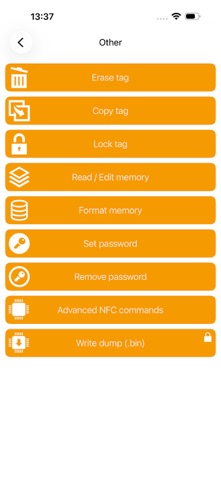
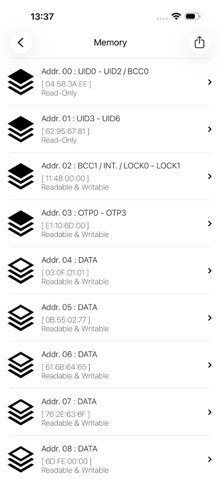
We work hard to provide you with a quality app, and your feedback helps us make it better every day. Run into an issue? Keep calm and feel free to contact us. 3.4: - CSV Import: Import a CSV file and write your tags row by row, each column becoming a record. - Memory: Display of pages as UTF-8 or US-ASCII text, or with their access conditions. - Optimizations: Minor bug fixes and user interface improvements.
Price & rating history · US
Reconstructed from the listing changes AppTracker has observed in this storefront. A field is charted once it has changed more than once, and each line starts at the value it moved from.
Average rating · ★ 4.62 now · 3 changes on record
Ratings breakdown · US
The star breakdown behind this app's rating in this storefront.
In-app purchases · US
What this app sells inside itself, grouped by kind and priced for this storefront.
Screenshots

Keywords this app targets
Search terms AppTracker associates with this app — estimates, not search volume. ❝ = in the app's title; a highlighted number is its current position for that term.
Similar apps
Competitors and close alternatives, as estimated by AppTracker.
 NFC Reader & Writer – NFC Tool
裕涛 兰
2 shared topics · 1 shared title word
NFC Reader & Writer – NFC Tool
裕涛 兰
2 shared topics · 1 shared title word
 NFC Tools: Reader, Scanner Tag
Victor Bujanivskiy
2 shared topics · 3 shared title words
NFC Tools: Reader, Scanner Tag
Victor Bujanivskiy
2 shared topics · 3 shared title words
 NFC Tools: Reader & Scanner
Sarmite Balodis
2 shared topics · 3 shared title words
NFC Tools: Reader & Scanner
Sarmite Balodis
2 shared topics · 3 shared title words
 Smart NFC
Alec O'Connor
1 shared topic · 1 shared title word
Smart NFC
Alec O'Connor
1 shared topic · 1 shared title word
 NFCUtil
AUTIMO SYSTEMS INC
1 shared topic
NFCUtil
AUTIMO SYSTEMS INC
1 shared topic
 iNFC 一键读取交通卡
ShenZhen Yuyue Technology Co., Ltd.
3 shared topics
iNFC 一键读取交通卡
ShenZhen Yuyue Technology Co., Ltd.
3 shared topics
 MIFARE Ultralight
MTools Tec Co., Ltd
MIFARE Ultralight
MTools Tec Co., Ltd
 MCT Mifare Chameleon Tool
Davide Ginefra
1 shared topic
MCT Mifare Chameleon Tool
Davide Ginefra
1 shared topic
About
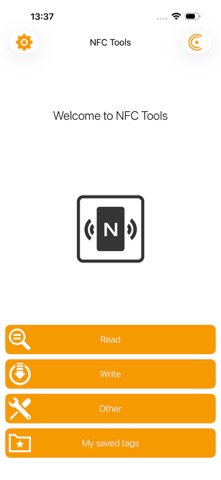
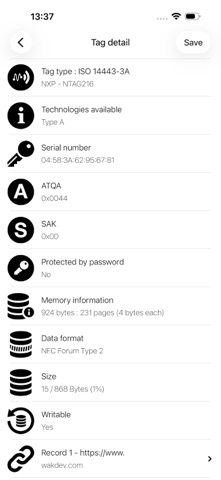
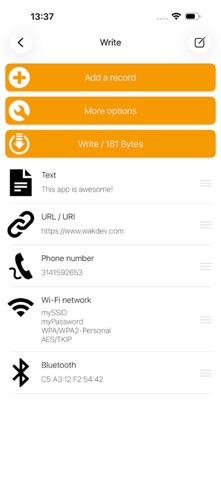
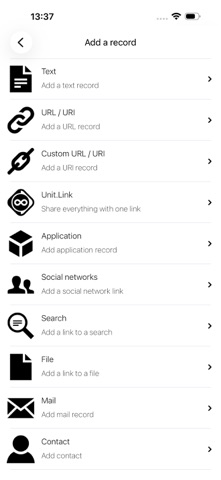
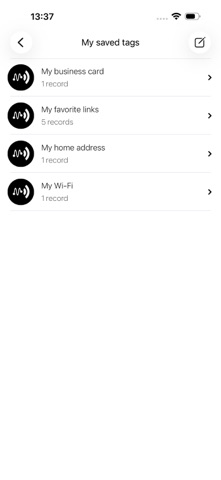
NFC Tools can read and write your NFC tags with a simple and lightweight user interface. By passing your device near an NFC chip, you can read the data it contains and interact with the content. The "Read" section allows you to see data such as: - the maker of the tag - the type of tag (ex : Mifare Ultralight, NTAG213) - the norm of the tag (ex : NFC Forum Type 2) - the available technology (ex: NFC A) - its serial number (ex : 04:85:c8:5a:40:2b:80) - the size of the tag and of the data on it - if you can write on the tag - all the data on the tag (NDEF format) NFC Tools can record standard information on your tags which will be compatible with any NFC device. For instance, you can store a VCARD to share your contact details easily, open an URL, share a phone number or even a geolocation. The "Write" section let you record standardised data such as: - a simple text - a link to a website - an email - a contact - a phone number - a predefined text message - an address or geolocation - a WiFi or Bluetooth configuration - personalised data - and more... The write function allows you to add as much data as you wish. This way you can record large quantities of information on your tag. The app also allows you to save the contents of your chip for later access. NFC Tools has been tested with the following NFC tags: - NTAG 203, 210, 210u, 212, 213, 213TT, 215, 216, 413 DNA, 424 DNA - Ultralight, Ultralight C, Ultralight EV1 - ICODE SLI, SLI-S, SLIX, SLIX-S, SLIX-L, SLIX2, DNA - DESFire EV1, EV2, EV3 - ST25TV, ST25TA - Felica If you encounter any problem, don’t hesitate to contact us. Notes: - Compatible from iPhone 7. - Use the "compatibility" mode to read/write Mifare Classic tags.
What's new · 3.4
We work hard to provide you with a quality app, and your feedback helps us make it better every day. Run into an issue? Keep calm and feel free to contact us. 3.4: - CSV Import: Import a CSV file and write your tags row by row, each column becoming a record. - Memory: Display of pages as UTF-8 or US-ASCII text, or with their access conditions. - Optimizations: Minor bug fixes and user interface improvements.
Details