

Record it! :: Screen Recorder
DIGISET LLC · Utilities
Independent analytics for this App Store listing. AppTracker is not affiliated with DIGISET LLC.
Chart standing · US
What changed · US
Listing changes AppTracker has observed for this app in this storefront — new versions, price moves, rating shifts, and store copy.
+ You can now configure a Start countdown to give you time before recording starts. (iOS 27) + You can now save recordings directly to camera roll (iOS 27)
Ratings breakdown · US
The star breakdown behind this app's rating in this storefront.
In-app purchases · US
What this app sells inside itself, grouped by kind and priced for this storefront.
Screenshots


About
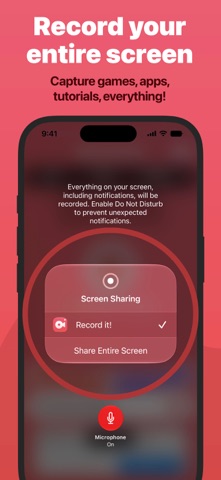
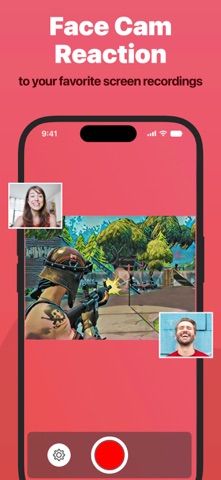
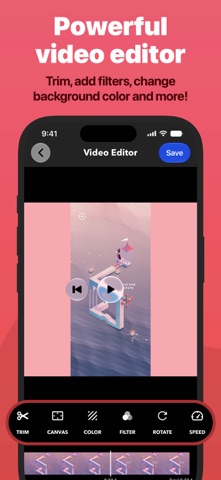
Record It! is a screen recorder for iPhone and iPad. Capture anything on your screen in one tap: games, app demos, tutorials, training videos, then trim it, add a face-cam reaction, and share it without leaving the app. RECORD • One tap to start recording your entire screen • Capture games, apps, tutorials, and walkthroughs • Configure bitrate, audio channels, video encoder, and quality. • A Live Activity keeps recording status visible in the Dynamic Island FACE CAM REACTIONS • Overlay your camera live while you record, on supported iPad models • Or add a face-cam reaction to any recording afterward • React to videos from your camera roll • Set the reaction's shape, position, and size AUDIO COMMENTARY • Record audio-only commentary over your video VIDEO EDITOR • Trim, rotate, and adjust playback speed • Apply video filters • Change the canvas and background color ORGANIZER • Every recording in one place, with quick access to what you need SHARE • Save straight to your camera roll • AirDrop to a Mac or another device • Export to Files, email, or any app that accepts video — including desktop editors for more specialized work Face-cam reactions are the fastest way to put yourself in the frame: let people watch you play, or walk someone through a task in your own voice. Sharing is limited to 10-minute videos. Upgrade to Record It! Pro to share longer recordings (In-App Purchase).
What's new · 5.1
+ You can now configure a Start countdown to give you time before recording starts. (iOS 27) + You can now save recordings directly to camera roll (iOS 27)
Details