

Messages and Chat Export PDF
DIGISET LLC · Utilities
Independent analytics for this App Store listing. AppTracker is not affiliated with DIGISET LLC.
Chart standing · US
What changed · US
Listing changes AppTracker has observed for this app in this storefront — new versions, price moves, rating shifts, and store copy.
Price & rating history · US
Reconstructed from the listing changes AppTracker has observed in this storefront. A field is charted once it has changed more than once, and each line starts at the value it moved from.
Average rating · ★ 4.55 now · 4 changes on record
Ratings breakdown · US
The star breakdown behind this app's rating in this storefront.
In-app purchases · US
What this app sells inside itself, grouped by kind and priced for this storefront.
Screenshots


About
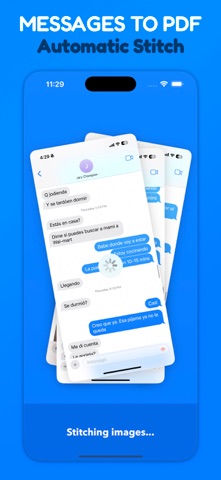
Messages Export makes it easy to save and organize your favorite conversations from any messaging app. Whether you want a clean PDF, high quality images, or a video scroll, we’ve got you covered. Auto-Stitch Screenshots into a Single PDF or Image We now support automatic stitching! Just take your screenshots, import them into the app, and we’ll handle the rest. No alignment or editing required. Want more control? You can still fine-tune the stitching manually at any time. How it works: 1. Open the app 2. Select your screenshots 3. Let the app stitch automatically — or cut and adjust manually 4. Export and share! Perfect for saving long chats, memories, or important conversations in a single file. Prefer video format? Record any scrollable conversation and save it as a high-quality video. Trim out what you don’t need and crop the top or bottom. You can even slow down the video for easier reading. Record in 5 simple steps: 1. Open the app 2. Tap the record button 3. Switch to your messages app and scroll the chat 4. Return and stop the recording 5. Trim, crop, and save! Stitching Features: + Simple & Intuitive No fluff. Select your recent screenshots and start stitching. Fast and easy. + Precision Editing Cut with pixel-level precision. A transparent overlay helps you align screenshots perfectly. + Fast & Private All processing is done on your device only. No external servers. Your data stays yours, and conversions happen in seconds. + Stay Organized Use folders and custom file names to manage your exports. Keep everything neat and accessible. + Easy Exporting Share or print your PDFs instantly via iMessage, AirDrop, or your favorite app. + Export in JPG, PNG, or Multi-Page PDF (Requires in-app purchase) Make backing up your chats effortless. Download Messages Export today!
What's new · 3.3
• Fixed an issue with manual image stitching
Details