
Chart standing · US
What changed · US
Listing changes AppTracker has observed for this app in this storefront — new versions, price moves, rating shifts, and store copy.
Price & rating history · US
Reconstructed from the listing changes AppTracker has observed in this storefront, so each line starts at the first change on record.
Average rating
Ratings breakdown · US
The star breakdown behind this app's rating in this storefront.
Screenshots


About
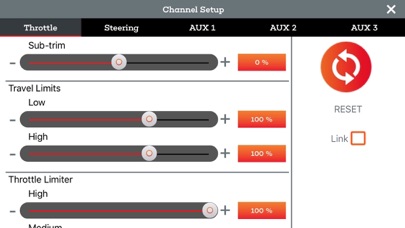
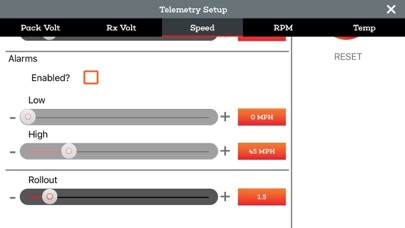
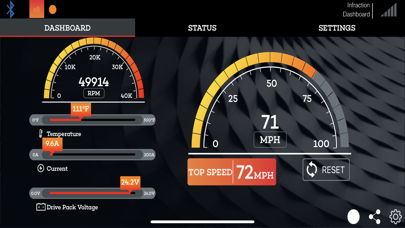
The Spektrum Dashboard mobile application allows drivers to view everything from speed, motor or engine temperature, battery voltage and more. And now with Spektrum Smart Technology integration, it is easier than ever before to get valuable telemetry data, right at your fingertips, with no additional wires or sensors. Installation tip: Upon initial pairing with the installed Spektrum Bluetooth module, the application will update the transmitter firmware which enables the transmitter to receive telemetry data from the onboard telemetry receiver or telemetry module. Please do not close the application or power off the transmitter during the update process. The Dashboard application will not function until the transmitter is updated. Note: To fully utilize the Spektrum Dashboard application, you must own the following items: - A DX3 Smart Transmitter - A Bluetooth Module (SPMBT2000 – BT2000 DX3 Bluetooth Module) - Smart Capable Receiver with Spektrum Smart Firma ESC and Spektrum Smart Battery - OR a Spektrum DSMR telemetry equipped receiver - We also recommend using a phone mount for your DX3 Smart (SPM9070)
What's new · 11
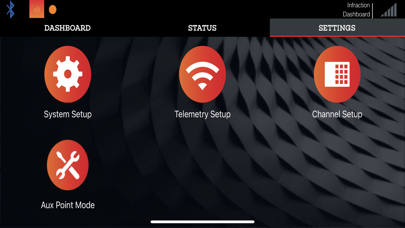
All changes are relative to version 10.0. • Removed the “Displayed?” property from the telemetry settings. • Removed the social media integration, as it has been deprecated for some time. • Corrected the Aux Point screen’s position slider range. • Corrected the background color of the Aux Point screen. • Corrected the background color of unused Bluetooth Devices screen lines. • Made the controls in the Telemetry Setup screen easier to use. • Corrected Imperial and Metric unit labels when the setting changed. • Fixed long-tapping gauges on the expanded SMART panel view so the application would go to the correct screen. • Fixed an issue where the Status screen would disappear after a BLE connection. • Added a way to close the keyboard after entering text without closing the current screen. • Removed the Model Setup screen.
Details