

Fraction Strips by mathies
Ontario Association for Mathematics Education · Education
Independent analytics for this App Store listing. AppTracker is not affiliated with Ontario Association for Mathematics Education.
Chart standing · US
Ratings breakdown · US
The star breakdown behind this app's rating in this storefront.
Screenshots
About
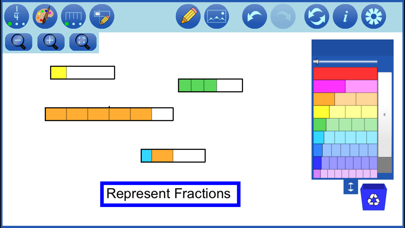
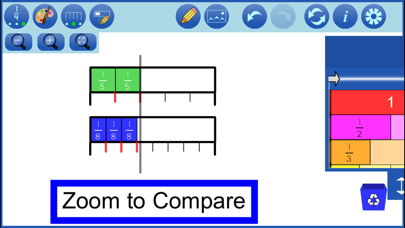
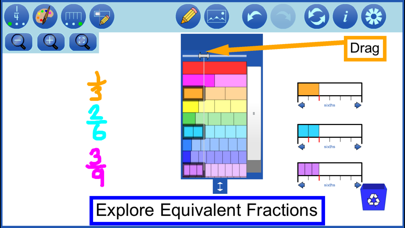
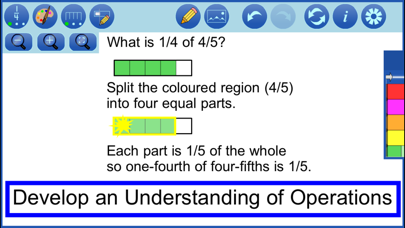
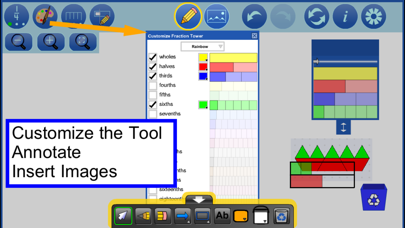
Use Fraction Strips to represent, compare, order, and operate on fractions. Represent fractions by dragging pieces from the fraction tower into the workspace. Pieces can be placed in a line to form a train. Manipulate the pieces and trains to compare and order fractions or to model fraction operations. Mathematical Concepts: Create visual representations that help explore mathematical thinking related to: ● Understanding part-whole relationships ● Representing, comparing and ordering fractions ● Iterating a unit fraction by copying ● Exploring the relationship between the number of equal partitions in a whole and the fractional unit (denominator) ● Exploring equivalent fractions ● Modelling operations with fractions o placing pieces beside or between each other, to combine fractions (addition) o removing pieces from trains (subtraction) o aligning trains to compare fractions with or without using comparison bars, including to find differences (subtraction) o copying strips or trains to model repeated addition (multiplication) Features: ● Build representations on an infinite workspace ● Drag the leftmost piece from a fraction strip in the fraction tower into the workspace to represent a unit fraction (one-half, one-third, etc.) ● Drag a piece further along the strip into the workspace (the pieces to the left of it are automatically dragged with it) to represent fractions like two-fourths , five-fifths etc. ● Create trains in which the pieces line up precisely ● Align trains using the built-in snapping ● Copy selected pieces or entire trains ● Show/Hide labels on the fraction pieces ● Zoom in on selected pieces, zoom out to see more of the workspace, zoom to fit to reorient the workspace so all fraction pieces are on the screen. ● Show/Hide rulers underneath trains in the workspace ● Show/Hide steppers to use different fractional units on the rulers ● Customize the fraction tower: change the colour of pieces and which pieces are included in the tower ● Reposition the fraction tower by dragging using the dark blue area at the top and use the double-arrow button to change its height ● Identify equivalent fractions using the equivalence bar at the top of the tower. ● Step through a history of your work with the undo/redo buttons ● Communicate your thinking or highlight various features of your representation using the built-in annotation tool ● Import pictures saved on your device. Pictures can be selected, moved, resized, rotated and copied. ● Save your work and open previously saved files.
What's new · 2.0.1
- improved undo/redo of image steps - bug fixes
Details