

Euclidea: Sketches
HORIS INTERNATIONAL LIMITED · Education
Independent analytics for this App Store listing. AppTracker is not affiliated with HORIS INTERNATIONAL LIMITED.
Chart standing · US
What changed · US
Listing changes AppTracker has observed for this app in this storefront — new versions, price moves, rating shifts, and store copy.
Ratings breakdown · US
The star breakdown behind this app's rating in this storefront.
Screenshots



About
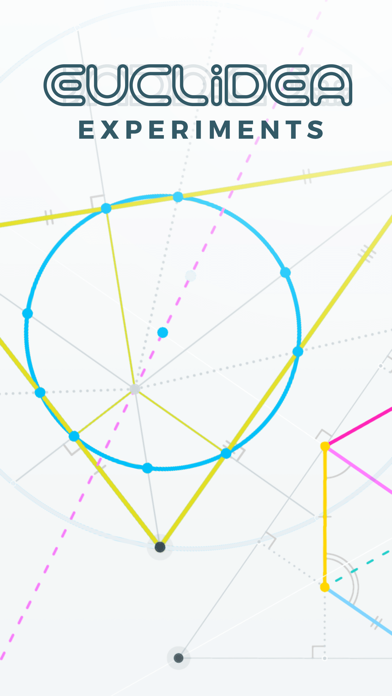
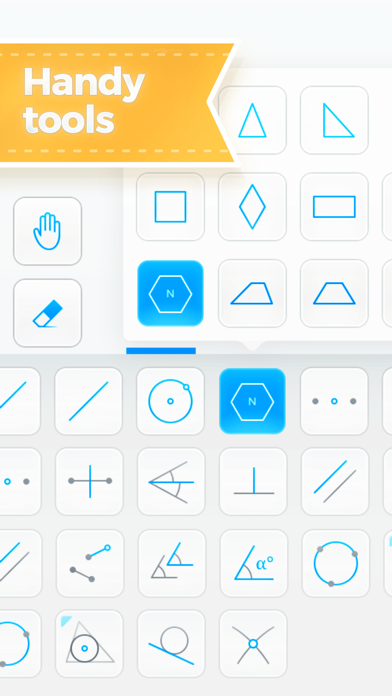
Euclidea: Sketches is an interactive geometry app intended for creating and exploring geometrical constructions. It is a great companion for the classic Euclidea Puzzles app. You start with an empty board and create your sketch with just a few taps. > Use smart and powerful tools > Choose shapes from a template library > Explore your constructions: they can be changed dynamically > Customize your drawing > Label points > Organize you own drawing collection > Export to photo album ***For Euclidea Puzzles users*** The app is much more than a sandbox for Euclidea. The tools were revised and significantly improved. Since you do not need to count moves anymore, the same constructions can be reproduced faster. ***How to use*** There are 4 modes: Constructing, Decorating, Coloring, and Labeling. The Move and Eraser tools are available in any mode. Other tools are: Point, Segment, Ray, Straight Line, Circle, Polygon Templates (Regular Polygon, Equilateral Triangle, Isosceles Triangle, Right Triangle, Square, Rhombus, Rectangle, Parallelogram, Trapezoid, Isosceles Trapezoid, Right Trapezoid), Midpoint, Perpendicular Bisector, Angle Bisector, Perpendicular, Parallel, Copy Segment, Copy Angle, Circle by 3 Points, Triangle Center Collection (Incenter, Centroid, Circumcenter, Orthocenter), Tangent, Intersection. Hints: Constructing - Drag a circle or other object directly to the desired point until it snaps. - The Segment tool can be used to extend segments. - It is easier to use the Perpendicular tool selecting a line first. Hints: Decorating - Decorations are used to mark a perpendicular, equal angles or segments. - You cannot create a wrong decoration. For example it is impossible to mark segments as equal if their length is actually different. Hints: Coloring - Choose color and style, then tap a point, a circle, or a segment. - You can create segments and points in the Coloring mode. - You can deselect color to change a style only. - The default color is the rightmost in the palette. Hints: Labeling - To hide/restore a label, choose "-" in the letter wheel and then tap a point on the drawing. Hints: Move tool - The whole drawing can be rotated using two fingers when the Move tool is active. - Tap a line or a circle to see their base points that can be dragged. Let's make geometry fun again!
What's new · 1.15
• iPhone support • Possibility to share sketches • Fixed bugs If you enjoy Euclidea: Sketches, please leave a nice review on the store.
Details