

JPG to PDF
RootRise Technologies Private Limited · Productivity
Independent analytics for this App Store listing. AppTracker is not affiliated with RootRise Technologies Private Limited.
Chart standing · US
What changed · US
Listing changes AppTracker has observed for this app in this storefront — new versions, price moves, rating shifts, and store copy.
Price & rating history · US
Reconstructed from the listing changes AppTracker has observed in this storefront. A field is charted once it has changed more than once, and each line starts at the value it moved from.
Average rating · ★ 4.75 now · 2 changes on record
In-app purchases · US
What this app sells inside itself, grouped by kind and priced for this storefront.
Screenshots
About
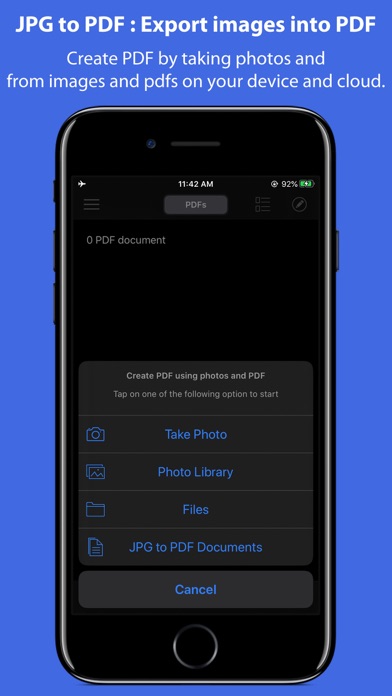
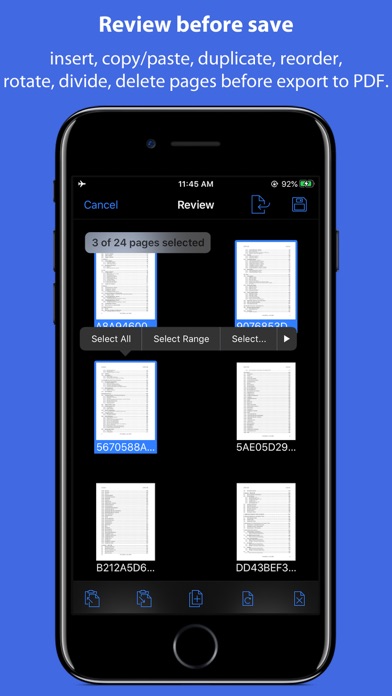
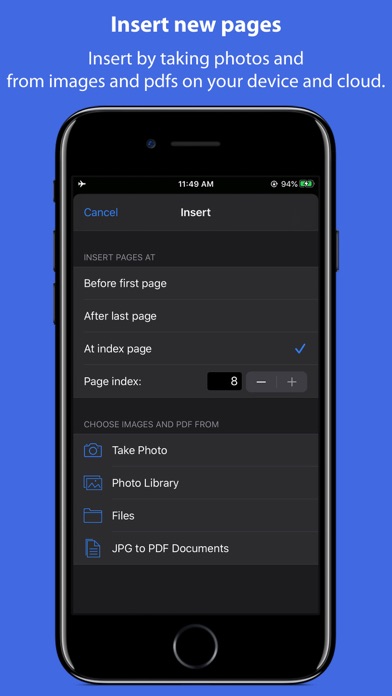
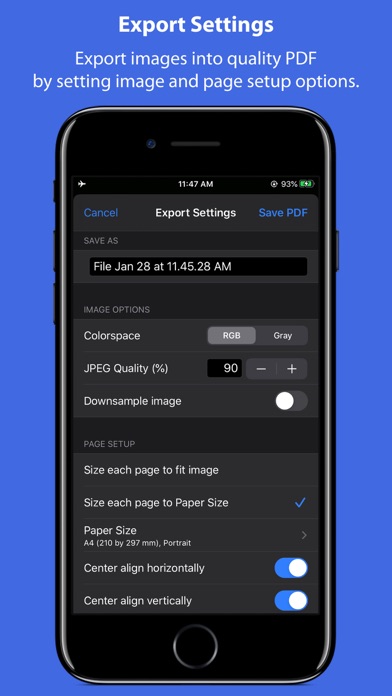
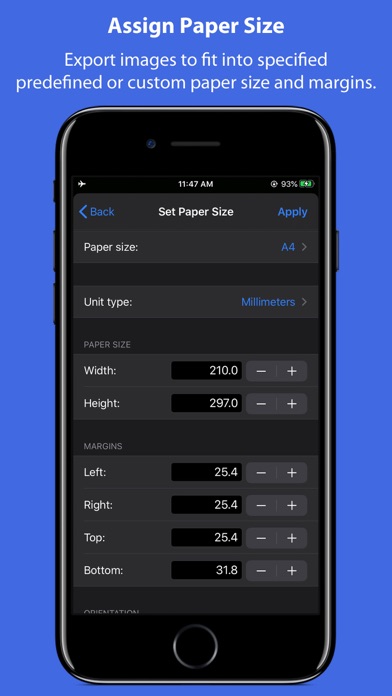
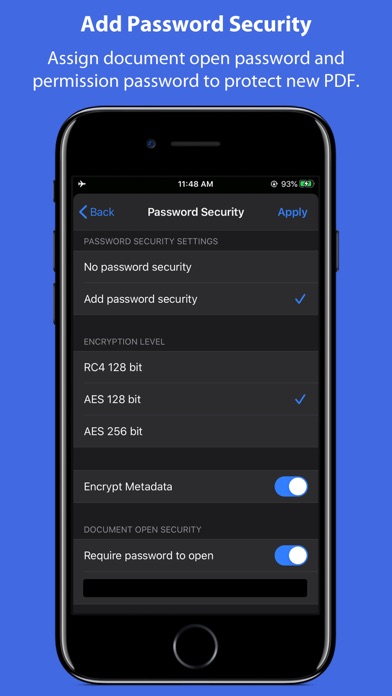
JPG to PDF is an easy-to-use, intuitive and fast way to create PDF from images. It also supports PDF as input source format, which can be used to merge multiple PDF files or Merge and export PDF files along with images. Various types of input source image formats are supported JPG, JPEG2000, PNG, PDF, BMP, TIFF, RAW types and many more. Very useful export settings make “JPG to PDF”, the complete images to PDF converter for iPhone, iPad and iPod. * * * JPG to PDF for Mac is also available on the Mac App Store. * * * FEATURES: • Create PDF by capturing photos and images from photos library. Allows to create PDF from image and PDF document from cloud storage drive. • Supports Image formats along with PDF as input source. • Allows to review creating PDF before save as PDF. • Review page browser view allows to insert new pages, rotate pages, copy/paste/duplicate pages, divide(cut) PDF pages horizontally and vertically and delete unwanted pages. • Very helpful page selection variations to speed up page manipulations. • In review page browser view, you can reorder pages into desire sequence of pages in output PDF. • Smart Image Export settings: Image ColorSpace conversion, JPEG Compression, DPI Downsample and Paper size settings to create optimized PDF without compromising quality. Image alignment option to place image centre horizontally and vertically. • Options to set output PDF page size. Use default paper size or customize page size, margin and orientation. • Add password security to encrypt output PDF. Set option to require Open Password to open and view PDF and even restrict created PDF documents from printing and copying contents without owner password. • Assign metadata description to PDF document. Set Title, Author, Subject, and Keywords properties. • Merge multiple PDF files into one. Alternate page merge supported. • SUPPORTED IMAGE FORMATS: Most of all popular formats are supported. Like JPG, JPEG 2000, PNG, TIFF, BMP, GIF and all other iOS supported image formats along with most of all DSLR camera RAW image types like CR2, NEF, ARW etc. PDF format is also supported. • IN BUILT PDF VIEWER: - Inbuilt PDF viewer with fully selectable and searchable text contents. Select and copy text to clipboard for further use. - Pinch out and Pinch in to ZoomIn and ZoomOut view. - Search a character, word or sentence within a PDF. - Navigate within PDF using slide over thumbnail view, PDF Outline and Go to page feature. - Quickly open PDF documents from email, browser and any installed app that support Open In…. - Allow to import PDF from iCloud and other cloud storage file provider app such as DropBox, Google Drive so on… • TRANSFER AND SHARE FILES - You can share new generated PDF files or archive multiple files into zip. You can send PDF file(s) as Mail attachment, Open In… another app and Send to cloud storage. - Use Copy to iTunes to save and share files with your computer. - Fully supports iPad Drag & Drop feature across the app to transfer files and images between apps. You can refer User Manual for any assistance Or Contact Support. Note: “JPG to PDF” is a standalone application running natively to create PDF documents securely on your iOS device. *The free version has limitation to export one PDF per week. Get Premium to access full app features without any restriction. Privacy Policy: http://rootrisetech.com/app-privacy-policy Terms of Use(EULA): https://www.apple.com/legal/internet-services/itunes/dev/stdeula/
What's new · 4.0
- Bug fixes and UI improvements to streamline with latest iOS. We are thankful to all users for their valuable feedback :)
Details