

Pocket Guitar Chords
John Walbolt · Music
Independent analytics for this App Store listing. AppTracker is not affiliated with John Walbolt.
Chart standing · US
What changed · US
Listing changes AppTracker has observed for this app in this storefront — new versions, price moves, rating shifts, and store copy.
Pocket Guitar Chords 3.0 is a complete redesign, built for playing your songs live. • New Chords screen with search, favorites and chord suggestions • Name That Chord: tap your fingers on the fretboard to find out what you’re playing • Songs and Set Lists now have their own tabs • Performance mode: big, easy-to-read chords for the stage • New widgets: Next Gig and Chord of the Day • Redesigned for iPad • Settings now has its own tab Your existing songs and set lists come with you.
Ratings breakdown · US
The star breakdown behind this app's rating in this storefront.
In-app purchases · US
No in-app purchases.
Screenshots


About
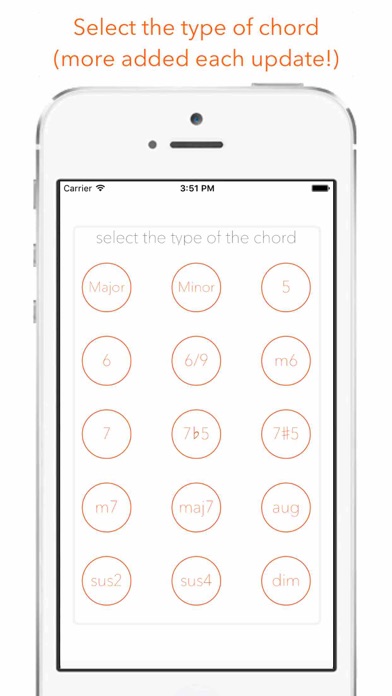
Every chord you need, and your songs ready for the stage. Pocket Guitar Chords is a fast, clear chord reference with everything you need to play your songs live: chord charts, set lists, and a stage view built to be read at arm's length. CHORDS • 180 chords: every root with 15 chord types, from major and minor to 7ths, sus, 6/9, augmented and diminished • More than one shape for most chords, with finger numbers • Hear every chord: strum it, or play it string by string • Capo control that shifts the sound to match • Search by name (try “Bm7”) and keep your favorites one tap away • “Sounds great with” suggests chords that go together • Left-handed diagrams NAME THAT CHORD Tap where your fingers are on the fretboard and the app tells you what you’re playing, then lets you hear it. SONGS • Chart the chords for each song, section by section • Transpose up or down, set a capo and tempo • Tap any chord to hear it • Auto-scroll while you play SET LISTS • Put songs in running order for a gig, with the venue and date • Play the set: big, high-contrast chords on a dark screen that stays awake, with the next song shown at the bottom • Step through the set song by song WIDGETS • Next Gig: your upcoming set list and its songs on your home or lock screen • Chord of the Day: a new chord every day ALSO • Designed for iPhone and iPad • Light and dark appearance • No account needed. Your songs and set lists stay on your device.
What's new · 3.0
Pocket Guitar Chords 3.0 is a complete redesign, built for playing your songs live. • New Chords screen with search, favorites and chord suggestions • Name That Chord: tap your fingers on the fretboard to find out what you’re playing • Songs and Set Lists now have their own tabs • Performance mode: big, easy-to-read chords for the stage • New widgets: Next Gig and Chord of the Day • Redesigned for iPad • Settings now has its own tab Your existing songs and set lists come with you.
Details