

Piano Chord Scales for compose
kenji kiuchi · Utilities
Independent analytics for this App Store listing. AppTracker is not affiliated with kenji kiuchi.
Chart standing · US
In-app purchases · US
What this app sells inside itself, grouped by kind and priced for this storefront.
Screenshots
About
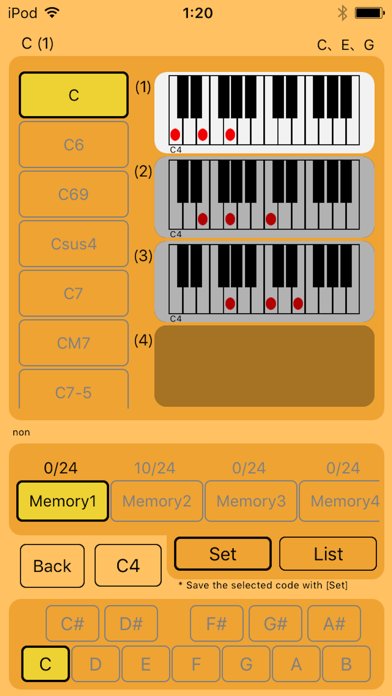
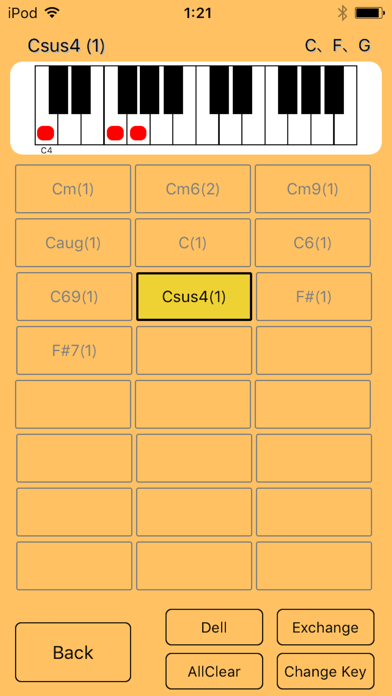
It is an application that you can easily check the piano chords with a list. You can save the chords you care about in the memory function and see it all at once. You can check the sound by touching the displayed piano. · About sound The sound can be confirmed with the criteria of C4, C3, C2 respectively. You can switch by touching the [C4 button] on the screen. (The initial value is C4.) · How to use memory 1. Touch the [Memory button] you want to save. 2. Select the piano chord you want to save. 3. Touch the [Set button]. The contents of the saved memory can be checked by List. You can also delete and edit in the List. * You can save nine codes. (You can save 24 pieces after purchase.) * There are two memories that can be saved. (Up to nine can be increased after purchase.)
What's new · 2.15
bug fix.
Details