

Picsew - Screenshot Stitching
Yojio, Ltd. · Photo & Video
Independent analytics for this App Store listing. AppTracker is not affiliated with Yojio, Ltd.
Chart standing · US
What changed · US
Listing changes AppTracker has observed for this app in this storefront — new versions, price moves, rating shifts, and store copy.
• Automatic deletion now also supports regular photos. • Fixed an issue where the preview could remain blank while creating a scrollshot from a screen recording. • Fixed other known issues.
Price & rating history · US
Reconstructed from the listing changes AppTracker has observed in this storefront. A field is charted once it has changed more than once, and each line starts at the value it moved from.
Average rating · ★ 4.71 now · 3 changes on record
Ratings breakdown · US
The star breakdown behind this app's rating in this storefront.
In-app purchases · US
What this app sells inside itself, grouped by kind and priced for this storefront.
Screenshots





About
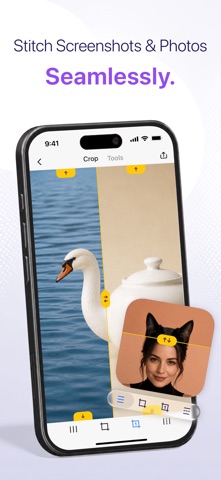
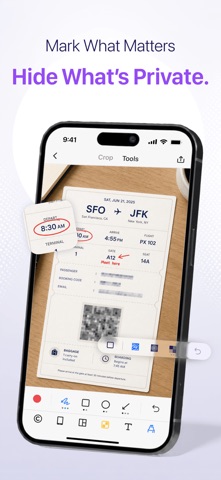
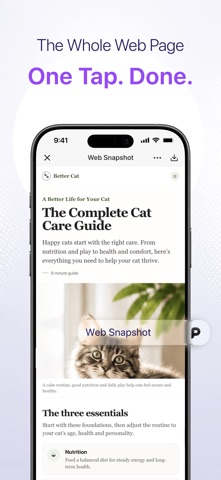
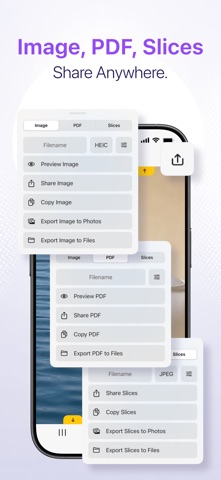
An App Store Editors’ Choice app, also recommended by MacStories and TidBITS. More than screenshot stitching. Picsew brings scrollshots and photo stitching together in one focused, flexible workspace. Turn chats, articles, receipts, webpages, notes, and comment threads into clean scrollshots. Then use the same app to arrange travel photos, recipes, outfits, tutorials, product comparisons, before-and-after stories, and social posts into polished vertical or horizontal images. Whether you are saving something for later or creating something worth sharing, Picsew helps you move from a folder full of images to one finished piece—without tedious cropping, manual alignment, or switching between several apps. SCROLLSHOTS WITHOUT THE BUSYWORK • Scroll through content in any app and Picsew turns it into one complete scrollshot. • Save an entire webpage in one step when you need the full article, guide, receipt, or order page. • Select existing screenshots and let Picsew detect the overlapping areas and stitch them automatically. • Fine-tune every join yourself when a complex layout needs a more precise result. • Keep long conversations, research, instructions, and reference material together instead of scattered across your photo library. TURN PHOTOS INTO A STORY • Arrange photos vertically for a long-form post, step-by-step tutorial, travel diary, recipe, or product showcase. • Join photos horizontally for comparisons, panoramas, timelines, and before-and-after presentations. • Combine screenshots and regular photos in the same project when your story needs both context and visuals. • Work with up to 300 images at once and keep the finished result in high resolution. MAKE EVERY IMAGE READY TO SHARE • Hide names, faces, account details, addresses, and other private information with blur or mosaic. • Add text, arrows, shapes, annotations, watermarks, and borders to explain what matters. • Place screenshots inside polished device mockups for presentations, portfolios, app updates, and social media. • Adjust the result before export so you can share a finished image instead of sending it through another editor. EXPORT IT YOUR WAY • Save a high-resolution image when quality matters. • Export as PDF for documents, instructions, archives, and easy sharing. • Split an extra-long image into neatly sized slices for social platforms and messaging apps. Picsew fits into the way you already work. Open it from the Share Sheet, jump in from a widget, and navigate with VoiceOver. From a quick scrollshot to a carefully arranged photo story, the tools you need stay together in one app.
What's new · 3.19.2
• Automatic deletion now also supports regular photos. • Fixed an issue where the preview could remain blank while creating a scrollshot from a screen recording. • Fixed other known issues.
Details