
Chart standing · US
Not currently charting in this storefront.
Screenshots
About
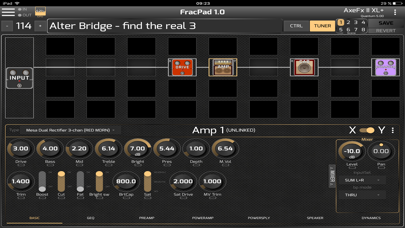
Control your AxeFx®, AX8®, FX8® or FM3/FM9®. Modify your presets layout, name and blocks settings, load or save presets, and many more functions ! For FM3, AxeFx II/XL/XL+ control you will need a 3rd party MIDI interface. For AX8/FX8, direct USB connection is needed as the AX8/FX8 does not support MIDI port sysex anymore ! For AxeFx III/FM9, direct USB connection is recommended AxeFx generation 1 are not supported. A full description of the connection options is available here : http://wiki.fractalaudio.com/axefx2/index.php?title=FracPad
What's new · 3.52
Supports AxeFx III® firmware 27.00, FM9® firmware 8.00 and FM3® 9.00
Details
DeveloperGranvaud Alexandre
ReleasedFeb 2017
UpdatedSep 2024
Version3.52
Size62.9 MB
RequiresiOS 11.0 or later
Age rating4+
PriceFree
Categories
Bundle IDfr.axefx.fr.axefx.fracpademo