

aWallet Cloud Password Manager
Petr Synek · Productivity
Independent analytics for this App Store listing. AppTracker is not affiliated with Petr Synek.
Chart standing · US
What changed · US
Listing changes AppTracker has observed for this app in this storefront — new versions, price moves, rating shifts, and store copy.
• Master password check: if you unlock with Face ID or Touch ID, the app asks for your master password every 14 days so you don't forget it. You can turn it off in Settings ▸ Security. • Support for iOS 27 • Bug fixes and improvements
Ratings breakdown · US
The star breakdown behind this app's rating in this storefront.
In-app purchases · US
No in-app purchases.
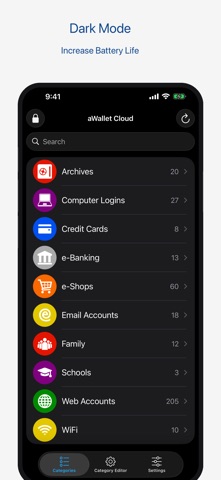
Screenshots



Keywords this app targets
Search terms AppTracker associates with this app — estimates, not search volume. ❝ = in the app's title; a highlighted number is its current position for that term.
Similar apps
Competitors and close alternatives, as estimated by AppTracker.
 Password Manager Data Vault
Ascendo Inc.
1 shared topic · 3 shared title words
Password Manager Data Vault
Ascendo Inc.
1 shared topic · 3 shared title words
 Secure+ password manager
Jin Tae Kim
1 shared topic · 3 shared title words
Secure+ password manager
Jin Tae Kim
1 shared topic · 3 shared title words
 Password Manager iPassSafe+
Moshe Netanel
1 shared topic · 3 shared title words
Password Manager iPassSafe+
Moshe Netanel
1 shared topic · 3 shared title words
 Password Manager-
广栋 莫
1 shared topic · 3 shared title words
Password Manager-
广栋 莫
1 shared topic · 3 shared title words
 Safe + Password Manager
edv & medien GmbH
1 shared topic · 3 shared title words
Safe + Password Manager
edv & medien GmbH
1 shared topic · 3 shared title words
 oneSafe password manager
Lunabee Pte. Ltd.
1 shared topic · 3 shared title words
oneSafe password manager
Lunabee Pte. Ltd.
1 shared topic · 3 shared title words
 Password Manager - Easy Pass2
KAIHATSUISHIN CO., LTD.
1 shared topic · 3 shared title words
Password Manager - Easy Pass2
KAIHATSUISHIN CO., LTD.
1 shared topic · 3 shared title words
 Secure Card Manager & Wallet
Texode Technologies LLC
1 shared topic · 1 shared title word
Secure Card Manager & Wallet
Texode Technologies LLC
1 shared topic · 1 shared title word
About
• Securely stores your passwords, credit card information, e-banking credentials, web accounts and other custom data. • Synchronizes encrypted data with the Cloud: Dropbox or Google Drive. • There is a built in Editor for changing or creating new data Categories. • Search within fields. • Contains no advertisements. • One time payment - forever. • Supports backup and restore of the encrypted data file to the iTunes File Sharing folder. • Export of unencrypted data in CSV format to the iTunes File Sharing folder. • There is an Auto lock feature that can be preconfigured for a specific period of time. PRO FEATURES, included: • Cloud synchronization • Unlock with Face ID • Unlock with Touch ID • Password Generator • CSV Import SECURITY FEATURES • All data is encrypted, including Entry names, Category definitions and the data itself. • Encrypts data using AES or Blowfish algorithms with key sizes of 256, 192 or 128 bits. • When the data file is decrypted, up to all combinations of algorithm and key size are tried with the Master password to unlock the data file. The app itself does not store any hint to the actual cipher or key size. • Uses a randomly generated 'salt' combined with the Master password. Salt helps to protect from off-line dictionary attacks. • The key to open the data file is created by combining your master password with the 512-bit 'salt'. The result is hashed 1000 times by SHA-256. Repetitive hashing makes a brute force attack more difficult. • Supports auto destruction of the data file after a predefined number of unsuccessful unlocks have been tried. For more info see http://www.awallet.org/ If you like this App, rate it in the App Store. If you have any suggestions, just let me know.
What's new · 12.5.0
• Master password check: if you unlock with Face ID or Touch ID, the app asks for your master password every 14 days so you don't forget it. You can turn it off in Settings ▸ Security. • Support for iOS 27 • Bug fixes and improvements
Details