

BatteryPhone
Keietsu Yasuhara · Utilities
Independent analytics for this App Store listing. AppTracker is not affiliated with Keietsu Yasuhara.
Chart standing · US
What changed · US
Listing changes AppTracker has observed for this app in this storefront — new versions, price moves, rating shifts, and store copy.
・Improved the reliability of communication between the iPhone and Watch. ・Added the ability to display the names of the iPhone and Apple Watch on the main iPhone screen. ・Added charging status display and color customization options to the "Graphic Corner (Text)" complication. ・Added color customization options to the "Graphic Rectangle" complication. ・Added 100% and 0% reference lines to the auto-update log graph. ・Requires iOS 15 or later and watchOS 8 or later.
Ratings breakdown · US
The star breakdown behind this app's rating in this storefront.
In-app purchases · US
No in-app purchases.
Screenshots


About
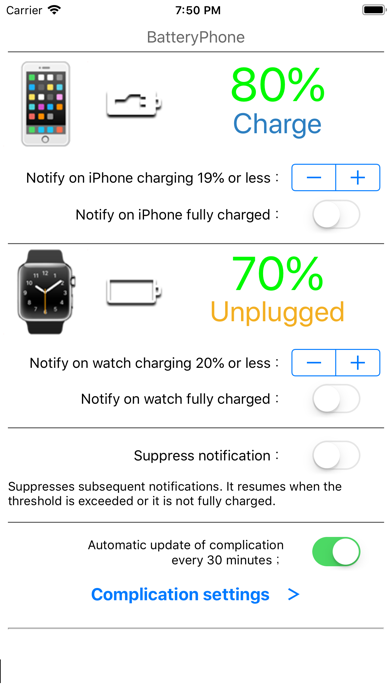
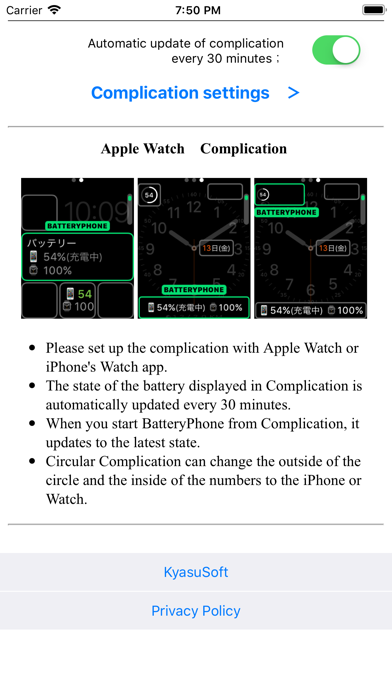
You can check the battery status of your phone and watch with your watch. Compatible with complications (automatic update). You can check the charging amount and charging status of the phone in a timely manner from the clock face. We will notify you by a notification when the charge amount of the phone or watch becomes less than the specified% or becomes full charge. The graph also displays the change in charge level for your phone and watch. - Set up complications with the watch app on your watch or phone. - The battery status displayed in the complication is automatically updated approximately every 12 to 60 minutes. The reason why the update interval has a range is that it depends on Watch OS. If the automatic update has stopped (for example, there is no update for more than 1.5 hour), tap the complication to restart it. In the iPhone app, the latest update time is displayed under the watch's charge status display. - Tap the complication to update to the latest status. - A circular complication can be assigned to the outer circle and the inner number to indicate the battery level of the phone and watch, respectively. -- I am a Japanese developer. The support site can be translated into various languages with the "Translate" option on the right side of the site.
What's new · 5.7
・Improved the reliability of communication between the iPhone and Watch. ・Added the ability to display the names of the iPhone and Apple Watch on the main iPhone screen. ・Added charging status display and color customization options to the "Graphic Corner (Text)" complication. ・Added color customization options to the "Graphic Rectangle" complication. ・Added 100% and 0% reference lines to the auto-update log graph. ・Requires iOS 15 or later and watchOS 8 or later.
Details