

QRweb
KAZUYUKI TAJIMA · Productivity
Independent analytics for this App Store listing. AppTracker is not affiliated with KAZUYUKI TAJIMA.
Chart standing · US
What changed · US
Listing changes AppTracker has observed for this app in this storefront — new versions, price moves, rating shifts, and store copy.
I have enabled the display of a confirmation screen after scanning the QR code.
In-app purchases · US
No in-app purchases.
Screenshots



About
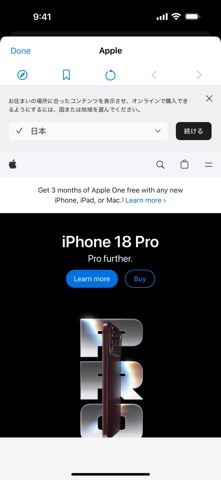
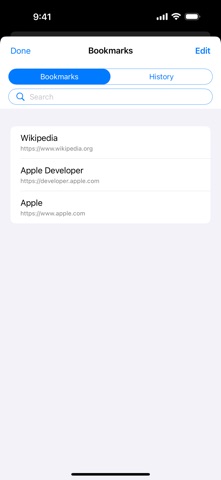
QRweb is a simple, focused QR code scanner built to get you from code to web page fast. Point your camera at a QR code to read its URL, check it on a confirmation screen, then open it right in the built-in web view — no need to switch to another browser. You can even scan QR codes saved in your Photos library, so screenshotted tickets and coupons are never out of reach. Found a page you like? Save it to history or bookmarks with one tap, and find it again later with search. Handy for: - Scanning posters and flyers on the spot - Checking tickets, coupons, or product labels in seconds - Opening menus and promo pages without typing a thing Key features: - QR code scanning (high-accuracy, works up close, far away, and in low light) - Scan QR codes from images saved in your Photos library - Automatic detection of http/https URLs - Confirmation screen shows the URL before you open it - View pages in the built-in web view - Scan history with search - Bookmarks with search - Adjustable limits for history and bookmarks - Backup export for history and bookmarks - Flashlight control for dark places - A quick guide on where to find and how to use QR codes The interface stays out of your way, so the features you need are always within reach. Next time you spot a QR code, open QRweb. Supported languages: English, Japanese, Spanish (Spain and Mexico), French, Korean, Chinese (Simplified and Traditional), Turkish, German, Italian, Hungarian, Polish, Vietnamese, Portuguese (Brazil), Thai, Uzbek, and Icelandic.
What's new · 2.6
I have enabled the display of a confirmation screen after scanning the QR code.
Details