

Darkr - Black And White Filter
Marcus Carlsson · Photo & Video
Independent analytics for this App Store listing. AppTracker is not affiliated with Marcus Carlsson.
Chart standing · US
What changed · US
Listing changes AppTracker has observed for this app in this storefront — new versions, price moves, rating shifts, and store copy.
Now you can select the type of effect for the pinhole camera, everything from unfiltered to a real vintage feel. Also, I accidentally removed the rotate function from the crop section in the darkroom, but it is now back. Lastly, this update includes a couple of bug fixes and better-looking icons for the cameras. As always, I hope you enjoy it and continue to improve your photography.
Ratings breakdown · US
The star breakdown behind this app's rating in this storefront.
In-app purchases · US
What this app sells inside itself, grouped by kind and priced for this storefront.
Screenshots




About
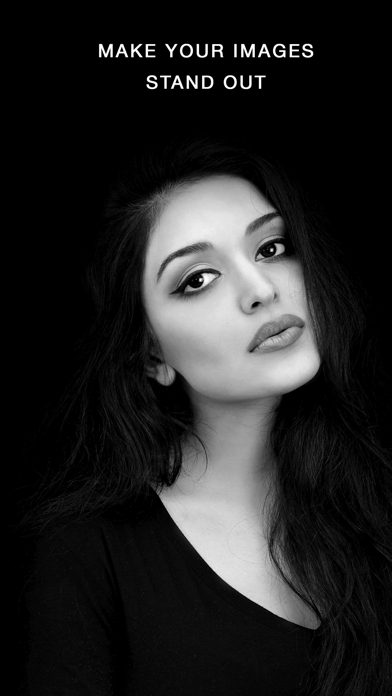
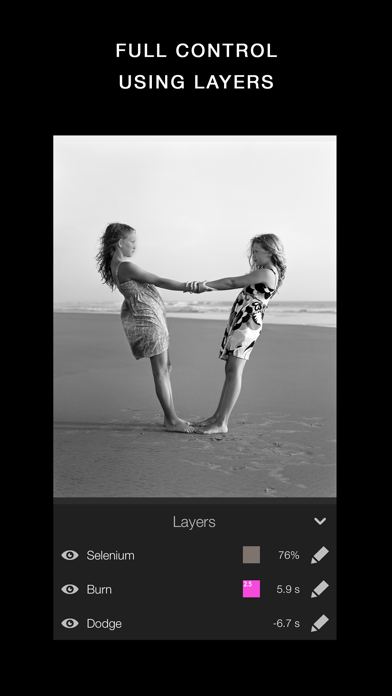
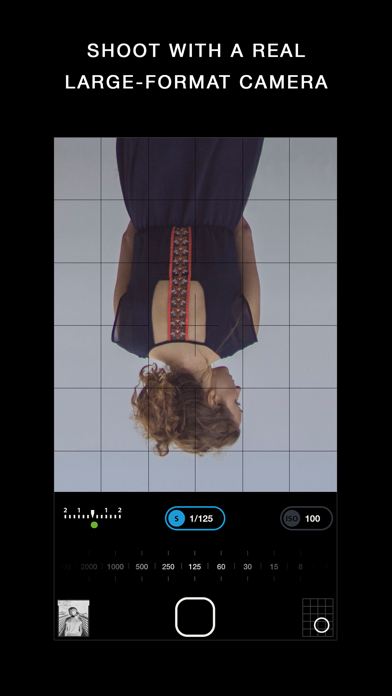
3 million downloads Featured as Today's app in many countries and is the perfect app for learning photography. "Darkr actually taught us how to frame pictures better" - AppleInsider Have you ever dreamt of trying an old darkroom, but don't have the equipment nor the time? Now you can, and without getting wet. DARKROOM In a fun and intuitive way you will pick the strip that has the best time and contrast. And just like a real darkroom, you can make parts of the image brighter and darker by blocking or adding more light to the image. You will be presented in a very easy way with lots of tutorials on how to use the tools. The images will only be in black and white (but you may tone them). DARKROOM FEATURES + Develop either your images from your camera-roll or taken by the Large-Format camera + Only Black & White + Stripes - As in a real darkroom you'll have to find the best strip. It will be challenging, fun and very powerful + Crop / Rotate - Both crop and rotate the image in the same tool + Dodge - Make a selected part of the image brighter. + Burn - Make a selected part of the image darker + Blur - Enhance the background with some beautiful blurriness. + Tone - Tone the images with various strength. The toners that can be used are Selenium, Cyanotype and Sepia. + Layers - You can add as many effects as you want. Each effect will be treated as a layer that can be edited, deleted and changed its visibility. + Zoom - You can zoom the image ten times. This will make it really easy to make the detailed work. + Metal - Darkr uses Metal, the drawing is fast and very fluid. CAMERA By shooting with a large-format camera where the image is upside-down you will actually get more control over the image. The camera is only manual and back in the old days you could not even zoom with the camera, you had to walk. You will be forced to slow down the process and by doing so, your photographs will be so much better. At first it may feel a bit odd to look at the upside-down image and it can even be a bit challanging to know if you should move the camera to the left or right when framing the image. Sometimes you will even laugh at yourself, but the more you use it, the less you will even have to think about it. MORE CAMERA-MODELS Darkr has now added two more camera-models. + Medium-format which will produce a square image and just as the large-format camera it is manual. + Pinhole-camera which is a real basic camera where you pretty much only shoot at what you see. Nothing to set up with, nor zoom. CAMERA FEATURES + Manual - Just as in a real old analog camera, it is only manual + Shutter / ISO - You will set these individually + Focus - With a beautiful crafted loupe, you will get full control over the sharpness + Tilt / Shift - Just as a large-format camera you will be able to straight up any lines + 4x5" - The negative's size will be in the 4x5-ratio as the most popular large-format camera does SHARE You can naturally share both the negatives and prints. You can optimize the resolution to lots of social media's sites like Facebook, Instagram, Twitter IN-APP PURCHASE Darkr is free to download, but the following features requires in-app purchase to be available. These in-app purchases are one-time purchase, so you don't have to worry about a subscription. Large-format camera Medium-format camera Edit layers Simulate film-emulsion Tone the image SUPPORT We are eager to hear from you. We just love to hear both good stuff and bad stuff. And it's much likely that your opinion will be added into the next update. Please don't hesitate to contact us at: support@miiam.net
What's new · 22.0
Now you can select the type of effect for the pinhole camera, everything from unfiltered to a real vintage feel. Also, I accidentally removed the rotate function from the crop section in the darkroom, but it is now back. Lastly, this update includes a couple of bug fixes and better-looking icons for the cameras. As always, I hope you enjoy it and continue to improve your photography.
Details